

댄스 매트 PIU PRO 메탈
대각선 패널 4개에 중앙 패널까지, 집에서도 5패널 리듬게임을 즐겨 보세요. PIU PRO Metal은 반응성이 좋은 PRO 패널, 묵직한 18 kg 본체, USB 유선 연결을 갖췄어요. 꾸준히 연습하며 새로운 패턴에 도전하고, 발판 2개 구성으로도 확장할 수 있어요.
 2년 보증
2년 보증 표준 배송(8~12일) 또는 24시간 배송을 선택하세요.
- 표준 배송(8~12일) 선택
 사용자 지정


대각선 4개, 중앙까지 모두 입력.
다섯 패널로 즐기는 새로운 리듬.
대각선 패널 4개에 중앙 패널까지, 집에서도 5패널 리듬게임을 즐겨 보세요. PIU PRO Metal은 반응성이 좋은 PRO 패널, 묵직한 18 kg 본체, USB 유선 연결을 갖췄어요. 꾸준히 연습하며 새로운 패턴에 도전하고, 발판 2개 구성으로도 확장할 수 있어요.
한눈에 보는 플레이 구성
플레이에 필요한 요소를 살펴보세요.
다섯 패널 위치 익히기
대각선 4개.
중앙도 밟아야 점수가 돼요.
먼저 컬러 패널을 하나씩 밟아 입력을 확인해 주세요. 알맞은 게임 모드에서 다섯 패널이 모두 인식되어야 해요.
자세히 보기
디테일까지 살펴보세요.
중앙도 입력 패널이에요
대각선 4방향과 중앙, 총 5개 패널로 입력해요. 이 배열에 맞는 채보를 골라 주세요. 중앙은 단순히 발을 쉬는 곳이 아니라 점수에 반영되는 입력 패널이에요.
감도 높은 PRO 입력 패널
PRO 패널 5개에는 L-TEK이 이 모델의 특징으로 안내하는 얕은 작동 깊이와 높은 감도의 구조를 적용했어요. 천천히 밟아 보며 내 발판의 어느 위치에서 입력이 잡히는지 익혀 보세요.
빠른 USB 폴링
32-bit ARM USB 컨트롤러는 1000 Hz로 폴링하며, 공칭 폴링 간격은 1 ms예요. 게임 전체의 타이밍에는 컴퓨터, 화면, 오디오, 설정도 영향을 줘요.
묵직하고 단단한 발판
제품 사양은 무게 18 kg, 크기 85 × 85 × 3 cm예요. 꾸준한 플레이를 위한 단단한 발판으로, 평평한 바닥에 놓고 플레이 전에 흔들리거나 움직이지 않는지 확인해 주세요.
메탈 패널과 실용적인 구조
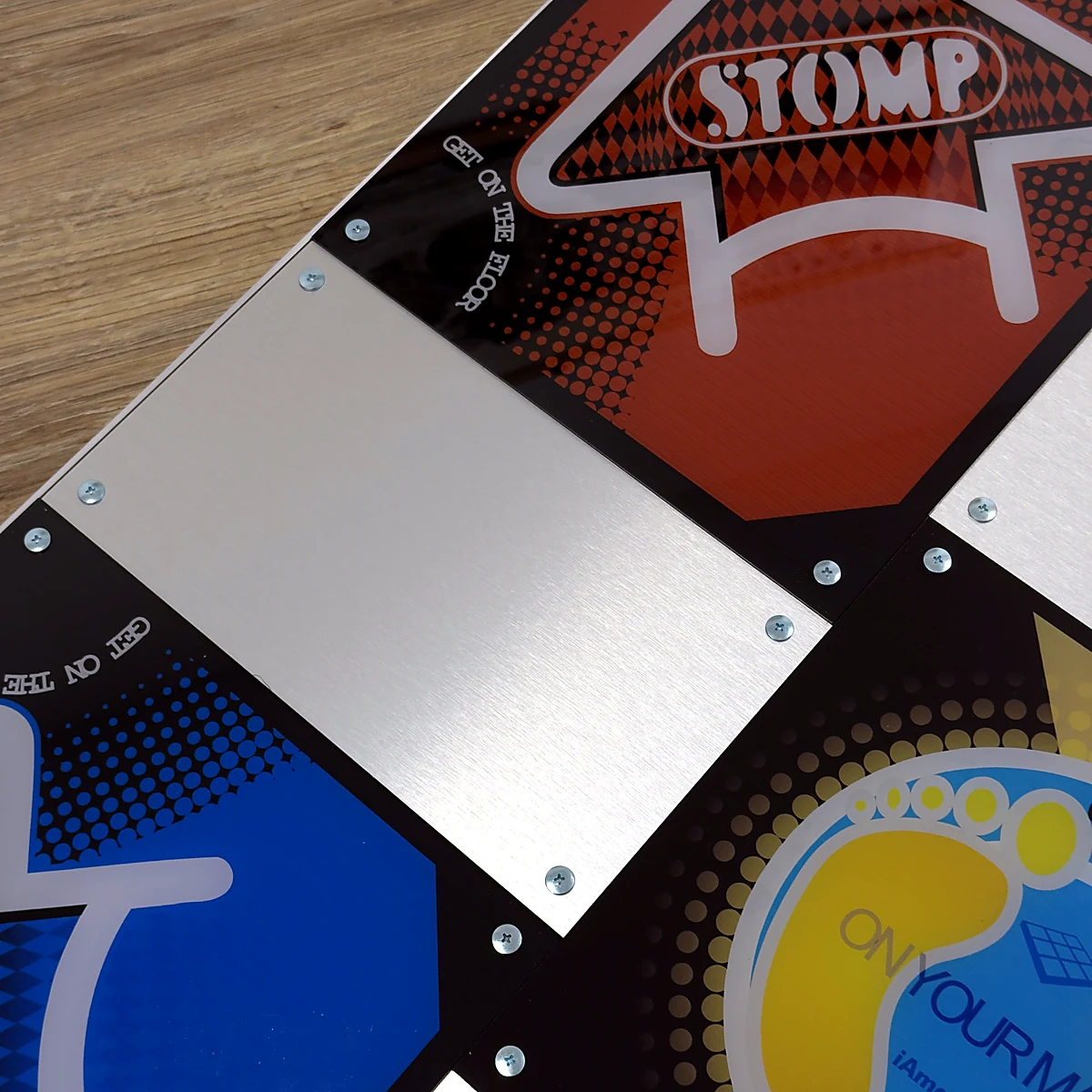
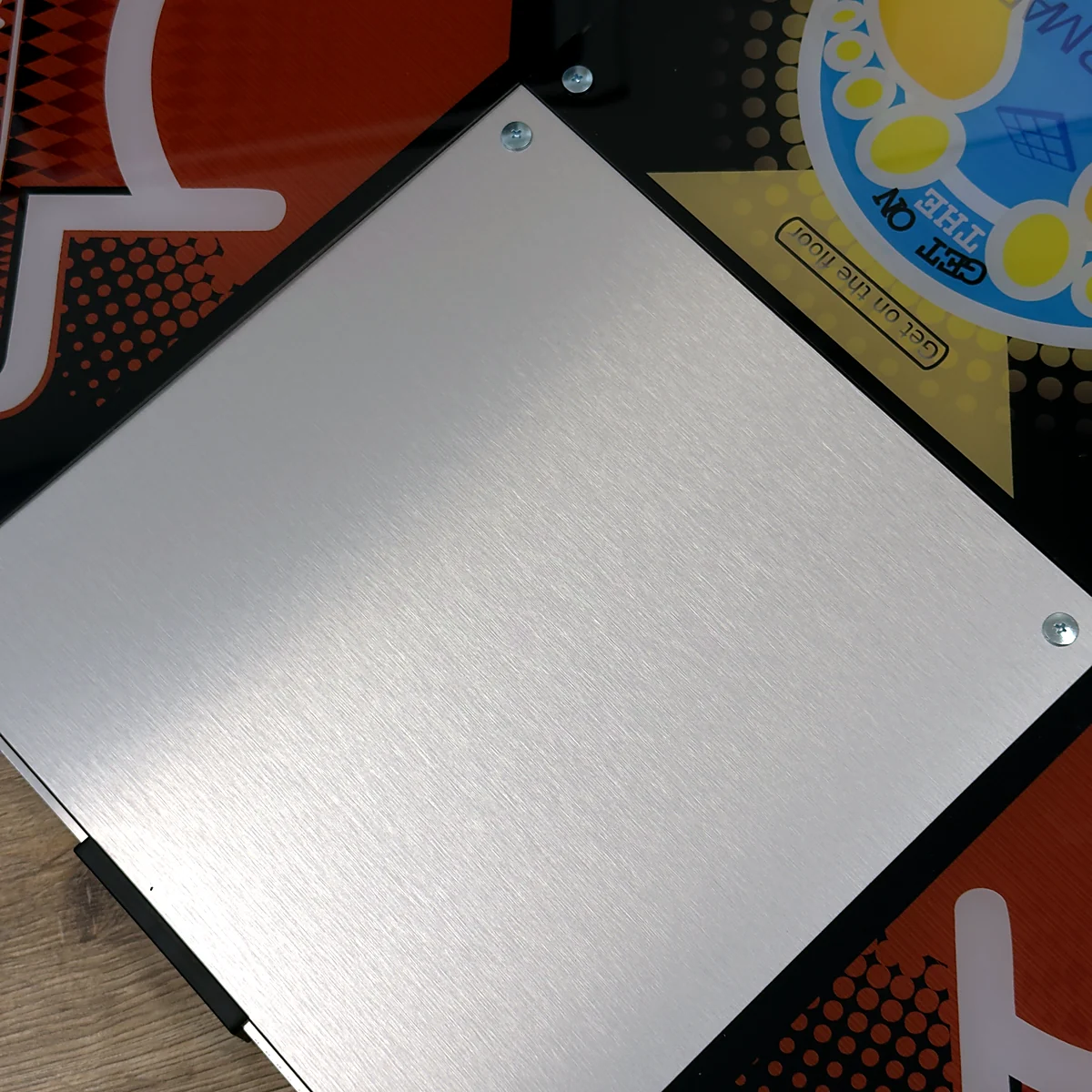
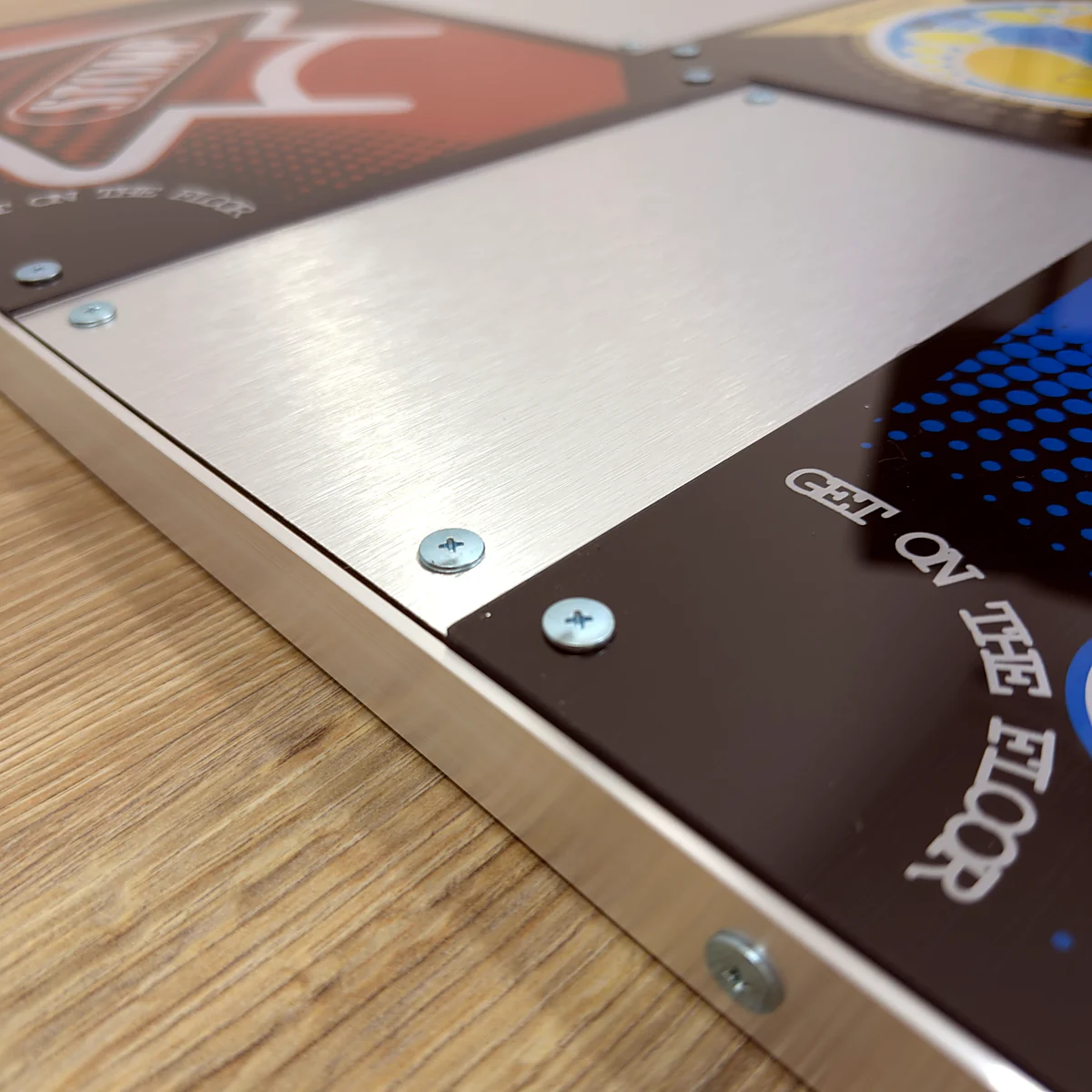
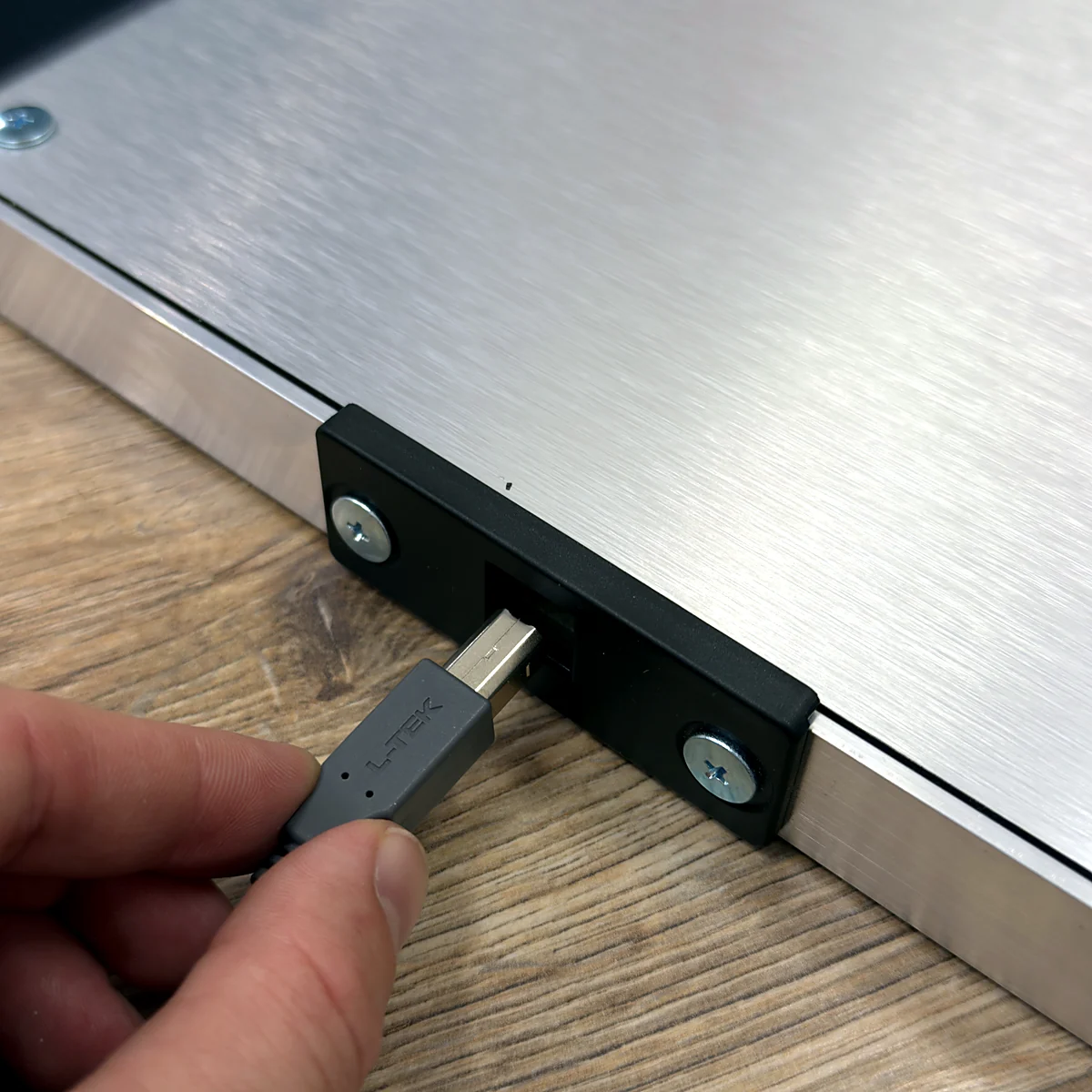
입력 패널 5개 사이에 메탈 패널을 배치하고, 알루미늄 테두리와 ABS 범퍼, 분리형 USB 케이블을 갖췄어요. L-TEK 안내에 따라 맨발이나 플레이하기 적합한 운동화로 사용해 주세요.
발판 2개로 더블 플레이까지
더블을 지원하는 소프트웨어에서는 PIU 발판 2개로 10패널 구성을 만들 수 있어요. 이 상품은 발판 1개 구성이에요. 두 번째 발판은 별도로 준비하고, 입력 설정과 설치 공간도 따로 맞춰야 해요.
01 / 5패널로 만나는 새로운 패턴
대각선부터 중앙까지, 스텝을 넓혀요.
PIU PRO Metal은 위쪽 대각선 2개, 아래쪽 대각선 2개, 중앙으로 이루어진 5패널 발판이에요. 4방향 발판과는 발을 옮기는 동선이 달라요. 각 위치를 천천히 익힌 뒤 채보에 나오는 새로운 패턴을 이어서 밟아 보세요. 컬러 패널 5개가 입력을 담당하고, 그 사이의 메탈 패널 4개는 입력되지 않아요. 오락실에서 펌프를 해봤다면 배열은 익숙하겠지만, 이 발판의 표면과 반응에는 적응할 시간을 가져 보세요. 특정 오락실 기기와 느낌이 완전히 같지 않아도 즐겁게 연습할 수 있는 공간을 만들 수 있어요.
5패널 플레이가 처음인가요?
노트 하나씩 천천히 밟아 보세요. 대각선 4개뿐 아니라 중앙도 하나씩 직접 확인해 주세요.
4방향 발판을 사용해 봤다면
5패널 채보와 그에 맞는 게임 모드를 사용해 주세요. 4방향 입력의 이름만 바꿔서는 중앙 입력이 추가되지 않아요.
오락실에서 펌프를 즐겼다면
쉬운 곡 몇 곡으로 집에 설치한 발판의 표면, 패널 위치, 타이밍에 적응해 보세요.
02 / 발판에 맞는 게임 설정
5패널에 맞는 모드와 채보를 골라요.
발판을 USB로 연결한 뒤, 펌프 방식의 5패널 배열을 지원하는 소프트웨어를 선택해 주세요. L-TEK은 Windows용 최신 StepMania 5.0 LTEK을 권장해요. PIU용으로 사용하기 전에 현재 빌드에서 필요한 펌프 모드와 채보를 지원하는지 확인해 주세요. 해당 옵션이 안내되어 있지 않다면 4방향 Dance 모드로 시작하기보다, 현재 가능한 5패널 설정 방법을 L-TEK에 문의해 주세요. Mac에서도 호환 소프트웨어가 필요하며, 연결 환경에 따라 호환 USB-C 허브가 필요할 수 있어요. 구형 콘솔용 전용 PS2/PSX 컨버터는 별도 액세서리예요. 주문 전에 사용하려는 콘솔 모델, 게임 에디션, 입력 설정을 확인해 주세요.
03 / 싱글에서 더블까지
5개로 시작해, 10개까지.
발판 1개에는 싱글 플레이용 입력 패널 5개가 있어요. 지원하는 게임에서 10패널 더블 채보에 도전하고 싶다면 PIU 발판을 하나 더 준비해 주세요. 더블은 한 사람이 발판 2개를 오가며 플레이하는 방식으로, 두 사람이 각자 싱글 채보를 플레이하는 것과는 달라요. 발판을 각각 연결해 입력을 설정하고 알맞은 모드를 선택한 뒤, 두 발판을 오가는 채보를 시작하기 전에 배치를 확인해 주세요. 주변에 여유 공간을 두고 발판 위치가 유지되는지도 확인해 주세요. 두 번째 발판과 손잡이 바, 발판 연결 부품은 별도예요. 연결 부품이 포함되어 있다고 생각하기보다, 적합한 구성을 L-TEK에 먼저 확인해 주세요.
싱글
플레이어 1명, 발판 1개, 입력 패널 5개.
더블
플레이어 1명, 발판 2개, 패널 10개와 호환되는 더블 채보.
2인 플레이
두 사람이 함께 플레이하려면 각자의 입력과 채보를 지원하는 게임 모드가 필요해요.
04 / 집에 맞는 플레이 공간
연습하고 싶은 공간을 만들어 보세요.
깨끗하고 평평한 바닥에 발판을 놓고, USB 케이블은 플레이하거나 지나다닐 때 발에 걸리지 않게 정리해 주세요. 85 × 85 cm는 발판 자체의 바닥 면적이에요. 안전하게 오르내릴 공간을 더 확보하고, 손잡이 바나 두 번째 발판을 추가한다면 그만큼 넓은 공간을 준비해 주세요. 게임 소리를 줄여도 밟을 때 생기는 진동은 바닥으로 전달될 수 있으니, 설치 위치를 정할 때 아래층도 고려해 주세요. 노트와 타이밍이 맞지 않는다면 밟는 방식을 바꾸기 전에 입력 설정, 화면 처리, 오디오를 확인해 보세요. 우선 수동으로 타이밍을 보정해 볼 수 있으며, 이때 별도 센서를 구매할 필요는 없어요.
처음 시작하는 분께
5패널로 첫 곡 시작하기
빠른 패턴에 도전하기 전에 다섯 패널 위치부터 익혀 보세요. PIU에 익숙한 분도 연결과 입력 설정을 빠르게 점검할 수 있어요.
- 01
발판을 놓고 연결해요
깨끗하고 평평한 바닥에 발판을 놓고 주변에 여유 공간을 확보한 뒤, USB 케이블을 호환 컴퓨터에 연결해 주세요. 케이블은 플레이할 때 발에 걸리지 않게 정리해 주세요.
- 02
5패널 모드를 골라요
펌프 방식의 배열을 지원하는 소프트웨어와 채보를 사용해 주세요. 설치하거나 플레이를 시작하기 전에 현재 LTEK 빌드에서 어떤 모드를 지원하는지 확인해 주세요.
- 03
입력 5개를 모두 확인해요
입력 테스트나 키 설정 화면에서 왼쪽 위, 오른쪽 위, 중앙, 왼쪽 아래, 오른쪽 아래를 각각 밟아 보세요. 중앙도 반드시 입력되어야 해요.
- 04
느린 싱글 채보부터 시작해요
발판 1개로 쉬운 채보부터 시작해 보세요. 패널 위치를 익히고 타이밍을 확인한 뒤 짧은 패턴을 연습해 주세요. 더블 플레이는 그다음에 도전하면 돼요.
영상으로 배우기
LTEK 댄스 매트 리뷰와 플레이 영상
Centri의 독립 리뷰이자 플레이 영상이에요. 5패널 L-TEK 매트로 펌프 잇 업 스타일 시뮬레이터를 플레이해요. 사용 후기를 확인한 다음, 현재 제품 사양은 이 페이지의 스펙에서 확인해 주세요.
클릭하면 외부 영상 플레이어를 불러와요.
제품 상세 정보
구매 전 사양을 확인해 보세요.
- 상품 구성
- L-TEK PIU PRO Metal 리듬게임 발판 1개
- 입력 패널 배열
- 패널 5개: 대각선 4개와 중앙
- 입력 패널
- PRO 패널 5개. L-TEK 안내 기준, 얕은 작동 깊이와 높은 감도
- 그 외 표면 패널
- 입력 패널 사이의 메탈 패널 4개
- 컨트롤러
- 32-bit ARM USB 컨트롤러
- USB 폴링
- 1000 Hz, 공칭 폴링 간격 1 ms. 전체 시스템 지연 시간을 뜻하지 않아요
- 무게
- 18 kg
- 발판 크기
- 85 × 85 × 3 cm
- 프레임과 모서리
- 알루미늄 테두리와 ABS 범퍼
- 기본 제공 케이블
- 분리형 USB-A to USB-B 케이블
- 사용 가능한 신발
- L-TEK 안내 기준, 맨발 또는 플레이에 적합한 운동화
- 더블 플레이 구성
- 두 번째 발판, 호환 모드와 채보, 올바른 입력 설정이 필요해요
- 별도 준비 장비
- 컴퓨터, 디스플레이, 게임/소프트웨어, 손잡이 바, 콘솔 컨버터는 포함되지 않아요
- 보증 기간
- 2년
구매 전 궁금한 점
자주 묻는 질문
미리 확인해 보세요.
궁금한 점을 먼저 확인해 보세요. 자세한 내용은 각 가이드에서 볼 수 있어요.
중앙 패널도 입력되나요?
네. 대각선 4개와 중앙, 총 5개 패널이 입력돼요. 그 사이에 있는 메탈 패널 4개는 추가 입력용이 아니에요. 게임의 입력 확인 화면에서 다섯 패널을 모두 확인해 주세요.
일반적인 4방향 채보도 사용할 수 있나요?
PIU 배열에 맞게 플레이하려면 펌프 방식의 5패널 모드와 해당 채보를 선택해 주세요. 4방향 Dance 채보는 배열이 달라 이 발판을 같은 방식으로 활용할 수는 없어요.
어떤 StepMania 버전을 다운로드하면 되나요?
현재 L-TEK이 권장하는 버전은 Windows용 StepMania 5.0 LTEK이에요. PIU용으로 사용하기 전에 해당 버전이 필요한 5패널 펌프 모드와 채보를 지원하는지 확인해 주세요. 릴리스 노트에 명시되어 있지 않다면 고객지원에 문의해 주세요.
더블 플레이용 발판 2개가 포함되나요?
아니요. 이 상품에는 발판 1개가 포함돼요. 더블 플레이에는 발판 2개, 지원되는 10패널 모드, 두 발판의 입력 설정이 필요해요. 플레이 전에 배치와 발판 연결 또는 지지 방법을 확인해 주세요.
사용 중인 콘솔과 게임에서 플레이할 수 있나요?
USB 단자가 있다고 콘솔과 호환되는 것은 아니에요. L-TEK PS2/PSX 컨버터는 별도 연결 옵션이니, 주문 전에 사용할 콘솔 모델과 게임 에디션, 5패널 입력 설정을 확인해 주세요. 모든 콘솔과의 호환을 보장하지는 않아요.
손잡이 바를 추가하거나 제 디자인을 넣을 수 있나요?
손잡이 바는 별도 액세서리예요. Handbar PRO 설명서에는 PIU가 호환 제품군으로 안내되어 있으니, 현재 모델의 장착 가능 여부와 조립 안내를 확인해 주세요. 이 PIU 모델에 커스텀 디자인을 적용할 수 있는지는 주문 전에 별도로 확인해야 해요.
MATOLOGY & 활용 가이드
더 알아보고 싶다면 여기서 확인해요.
이제 시작해 볼까요?
일주일의 즐거움에 5패널 플레이를 더해 보세요.
PIU PRO Metal 발판 1개와 5패널 지원을 확인한 소프트웨어, 연습할 공간을 준비해 보세요. 현재 구매 조건과 배송지별 배송 정보를 확인하거나, 발판 2개 구성에 대해 저희에게 상담해 주세요.
타사 제품명과 플랫폼 이름은 해당 사용 환경을 설명하기 위해 표기했어요. 각 상표의 권리는 해당 소유자에게 있으며, L-TEK은 독립 제조사예요. 호환 여부는 안내된 하드웨어, 소프트웨어, 설정에 따라 달라져요.
영상
외부 플랫폼에서 제공하는 영상이에요.
5 리뷰 댄스 매트 PIU PRO 메탈
댄스 패밀리가 공유하는 후기 및 이야기


정말 마음에 들어요! 몇 달 동안 값싼 폼 패드를 사용했지만 미끄러짐, 불규칙한 감지 등 한계를 느낄 수 있었습니다. 이 새로운 메탈 패드는 확실히 업그레이드된 느낌입니다. 가격은 조금 비싸지만 보드의 품질을 고려하면 공평하다고 느껴집니다.
적극 추천합니다!
놀라운 패드. 신발을 신고 플레이할 수 있을 정도로 튼튼합니다. 각 화살표의 중앙 나사를 제거했는데 감도가 환상적이었습니다. 가격 대비 가치가 있습니다.
이 패드는 놀랍습니다!! 모드가 없어도 "충분하지 않다"는 말을 듣지 마세요, 패드는 아케이드와 똑같은 느낌입니다! <3 이 놀라운 패드를 제공해주신 iAmats님께 감사드립니다! 별 20개를 줄 수 있다면 주고 싶어요.
이 패드는 놀랍습니다!! 모드가 없어도 "충분하지 않다"는 말을 듣지 마세요, 패드는 아케이드와 똑같은 느낌입니다! <3 이 놀라운 패드를 제공해주신 iAmats님께 감사드립니다! 별 20개를 줄 수 있다면 주고 싶어요.
이 패드는 놀랍습니다!! 모드가 없어도 "충분하지 않다"는 말을 듣지 마세요, 패드는 아케이드와 똑같은 느낌입니다! <3 이 놀라운 패드를 제공해주신 iAmats님께 감사드립니다! 별 20개를 줄 수 있다면 주고 싶어요.
Reddit
커뮤니티에서 더 많은 리뷰를 읽어보세요!
다른 사람들도 구매했습니다:
핸드바
231 €부터LTEK 핸드바 PRO
340 €부터L-TEK PS2/PSX 컨버터
38 €부터


자주 묻는 질문
자주 묻는 질문
스텝매니아 엘텍은 간단한 조작과 쉬운 노래 커스터마이징으로 댄스 매트 사용자들에게 인기 있는 제품입니다. 엘텍은 또한 스텝매니아를 PADY 피트니스 iOS 앱과 연결하는 도구인 커넥트 버디를 제공하여 트레이닝 진행 상황을 모니터링할 수 있습니다. 두 도구는 모두 소프트웨어 섹션에서 사용할 수 있습니다.
또한, 스텝매니아 LTEK는 어뮤즈먼트 조명 컨트롤러와 통합하여 동적 조명 효과를 추가하여 게임 플레이를 향상시킬 수 있습니다.
추가 옵션을 위해 LTEK 인터랙티브 매트는 다양한 게임과 호환되어 피트니스와 엔터테인먼트를 결합할 수 있습니다. 매트에서 플레이할 수 있는 게임 섹션에서 추천 게임 목록을 확인하세요.
L-TEK 댄스 매트는 스토어에서 판매되는 전용 변환기를 사용하여 PlayStation 2 및 PSX 콘솔과 호환됩니다. PlayStation 2 및 PSX 전용 컨버터는 PS2 & PSX 컨버터 섹션에서 확인할 수 있습니다.


 댄스 매트 LTEK 코어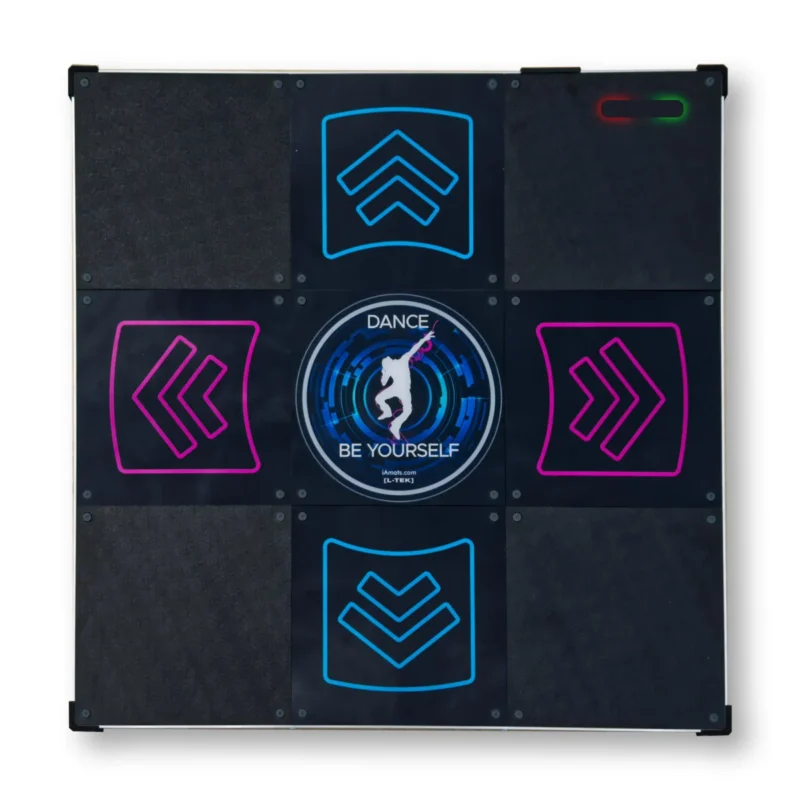
 댄스 매트 LTEK PRO X
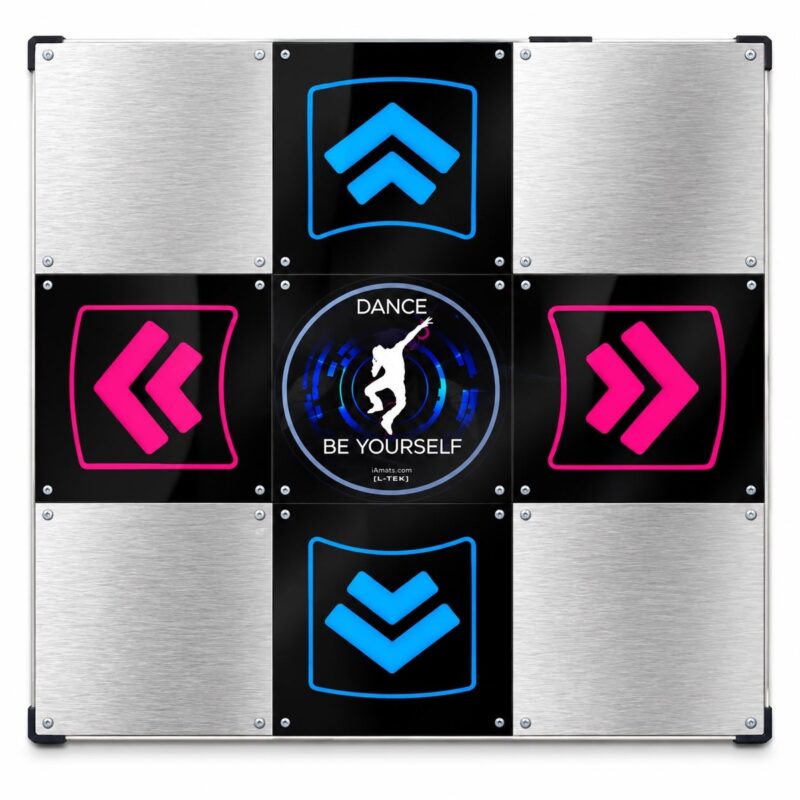 댄스 패드 LTEK 메탈 블랙
 댄스 매트 LTEK 메탈 화이트
 차세대 게이밍 매트
Traveler (인증된 구매자) –
General thoughts:
1. The sensors for the panels are a singular center diamond rather than the 4-rectangle edge layout an arcade panel has, so this may make brackets (pressing multiple panels with a single foot) register less consistently than expected. It also means you might have to hit the panel more on the center than on the edges for the hit to register, so that’s a bit more extra effort. Other users have recommended to modify the sensors to increase their sensitivity.
2. While anti-slip pads are attached to the bottom of the game pad, extreme movements may still cause the pad to move around slightly. If playing Doubles, it may be worth using mending brackets to connect the game pads together. (The screws on the top are spaced so that a 3 1/2″ one should connect them, and the screws on the sides are spaced for a 4″ one. Extreme play might end up wearing out the screw holes though.) Alternatively, add more anti-slip pads to the game pad.
3. The game pad lies pretty close to the ground, so it’ll get pretty loud when playing. Using taller anti-slip pads or laying the game pad on a rug grip pad might help with shock and noise absorption. An actual rug is not suggested unless you have a means of keeping the game pad from slipping on it.
Notes for the nitpicky:
1. There isn’t much extra space at the edges of the game pad, so if you’re playing Doubles you’ll need to plop a piece of wood or something in between game pads to maintain arcade accurate spacing between them. (The OmegaX user manuals say that the gap between game pads should be 2 inches wide and claim to use arcade accurate distances, but get measurements from an arcade machine if you’re not sure.)
2. The metal and the panels are equally level, so this may make it easier to lose track of where to place your feet. For arcade accuracy, the panels are supposed to be slightly lower than the surrounding metal.
Overall verdict: A few minor issues, but good enough for general use. Reviewed after 4 months of play on difficulty level 16 ± 4 (post-Prime ratings).
jullien_nicolas (인증된 구매자) –
Undersensitive (brackets difficult, bracket holds near impossible), but I have paper modded mine and the results are impressive, they are very sensitive.
Also, they are basically the only pad available brand new on this price range. Below are soft mats, obviously very poor compared to this product, and above would be StepManiaX, which availability is lousy and price in another range entirely.
I recommend this product, it is an especially good deal if you are not far from Poland as you can save on the shipping (which can get expensive due to the 18Kg weight !).
Rodrigo Bof Zatta (인증된 구매자) –
Sensor are not so sensitive, need to be modded to get more responsive, the active panels are little higher than the inactive, doesn’t feel like the arcade, feels little bit weird. Overall for the price, it’s OK.
Shin Lee (인증된 구매자) –
My level: SSSed many S16s, can beat almost all S17, can beat a few S18s. SSSed a few D16s, just recently decided to push myself to D17s.
I only bought one of these pads. Out of the box is kind of lousy. The pad is flush and it’s impossible to tell where you’re stepping. However, after paper modding and penny modding, I gotta say I love this pad. It feels very similar to arcade experience in my opinion.
Although the sensitivity is higher with the mods, I cannot comment on the bracketing because I suck at them. I sometimes hit them, but I’m not an expert on it.
Jenifer McGreevey (인증된 구매자) –
The packaging was secure and thorough. For the speed and distance of delivery, I was surprised that the few outside dings to the cardboard had no impact to any of the packaging or product inside.
After fighting with drivers to get soft pads to work in the past, I was delighted that Windows simply recognized the L-TEK pads immediately as LTEK devices. No advanced setup or tweaking, all I had to do was set the buttons in Stepmania/Pump it Up. Perfect setup process. I was worried that having two of the same devices might cause a problem but on repeated uses each pad is always identified and mapped correctly.
The build quality is fantastic and the “foot feel” is excellent. As others have said, it isn’t quite the same as the arcade with its raised screws and brackets so it is easier to lose track of where you’re standing. But the L-TEK pads are heavy enough to limit excessive sliding and I haven’t noticed any “ghost steps” or responsiveness issues with the sensors. I’m also thrilled to be able to play at home with shoes on in a pair of lightweight athletic shoes with a uniformly flat sole. I wouldn’t risk it with boots or hiking shoes though.