

Dance pad PIU PRO Metal
Bring five-panel rhythm play into your home with this hard dance pad (dance mat): four diagonal stepping panels and an active centre. PIU PRO Metal combines responsive PRO panels, a substantial 18 kg platform and a wired USB connection for practice, new patterns and a setup that can grow to two pads.
 2 year warranty
 Choose standard shipping (8-12 days) or 24h shipping
- Choose standard shipping (8-12 days)
 Customize


FOUR DIAGONALS. ONE ACTIVE CENTRE.
Find a different way through the rhythm.
Bring five-panel rhythm play into your home with four diagonal stepping panels and an active centre. PIU PRO Metal combines responsive PRO panels, a substantial 18 kg platform and a wired USB connection for practice, new patterns and a setup that can grow to two pads.
THE SETUP AT A GLANCE
Each part has a purpose.
GET TO KNOW THE FIVE POSITIONS
Four diagonals.
A centre that counts.
Your first input check is simple: test each coloured position separately. All five should register in the matching game mode.
LOOK CLOSER
The details that make the difference.
The centre is part of the game
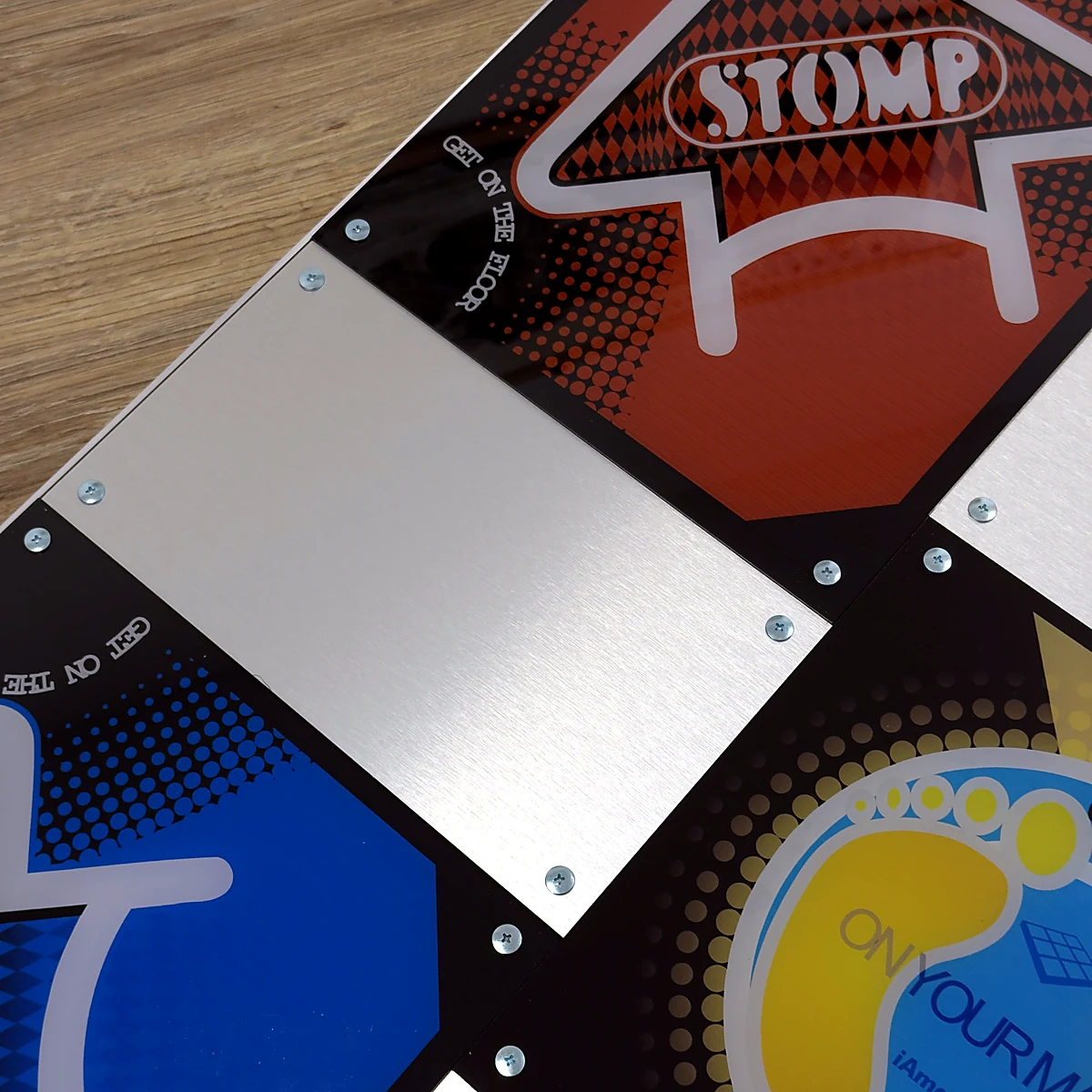
Four diagonal directions and the centre give you five active inputs. Choose charts made for this layout; the centre is a scoring panel, not simply a resting position.
Sensitive PRO stepping panels
The five PRO panels use the low-stroke, high-sensitivity construction described for this model. Start with slow steps to learn where your feet register on your own pad.
Fast USB polling
A 32-bit ARM USB controller runs at 1000 Hz polling, corresponding to a nominal 1 ms polling interval. The full game’s timing also depends on your computer, screen, audio and settings.
A substantial playing platform
The mat is listed at 18 kg and 85 × 85 × 3 cm. That gives you a hard platform for regular sessions; place it on a level floor and check for movement before you play.
Metal detail, practical construction
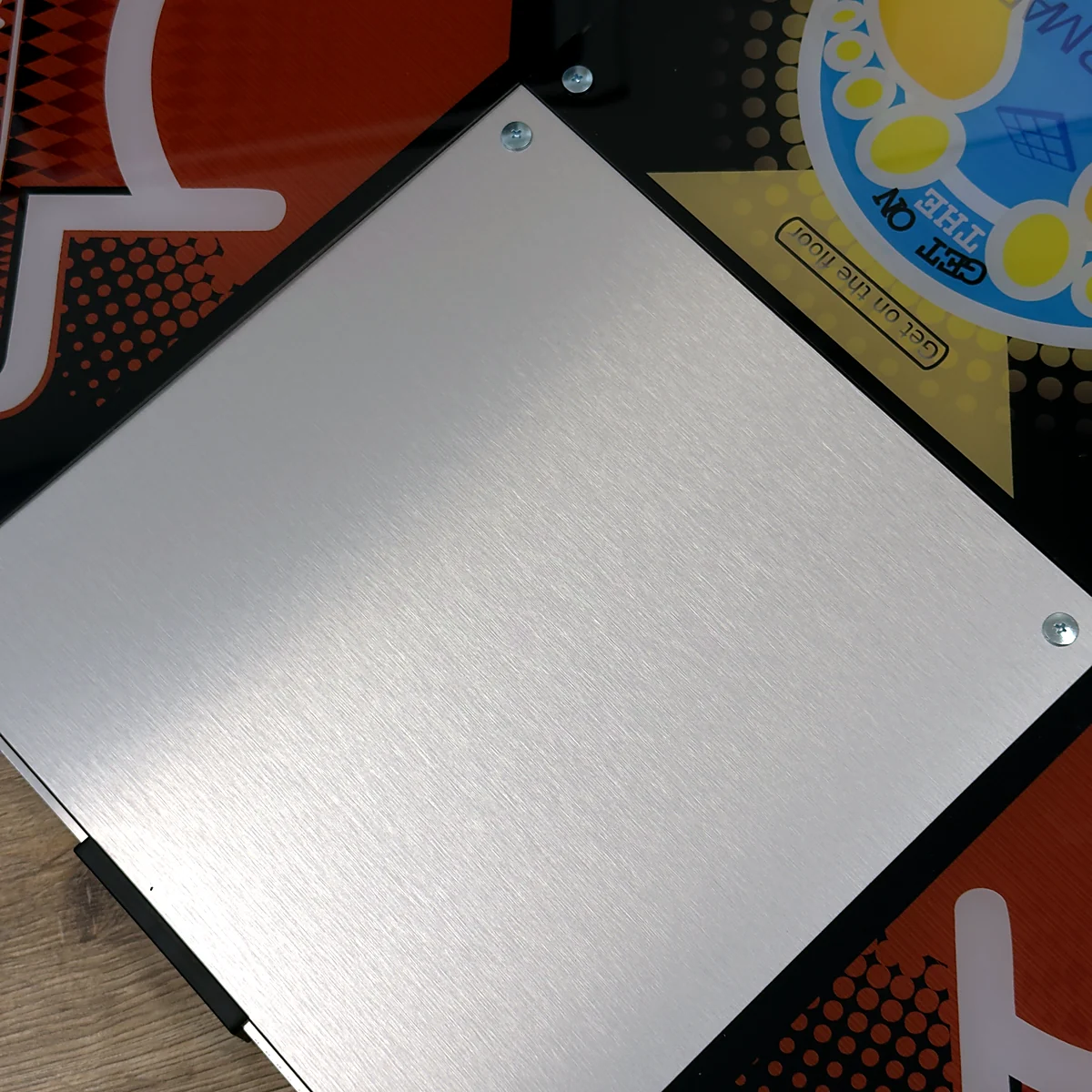
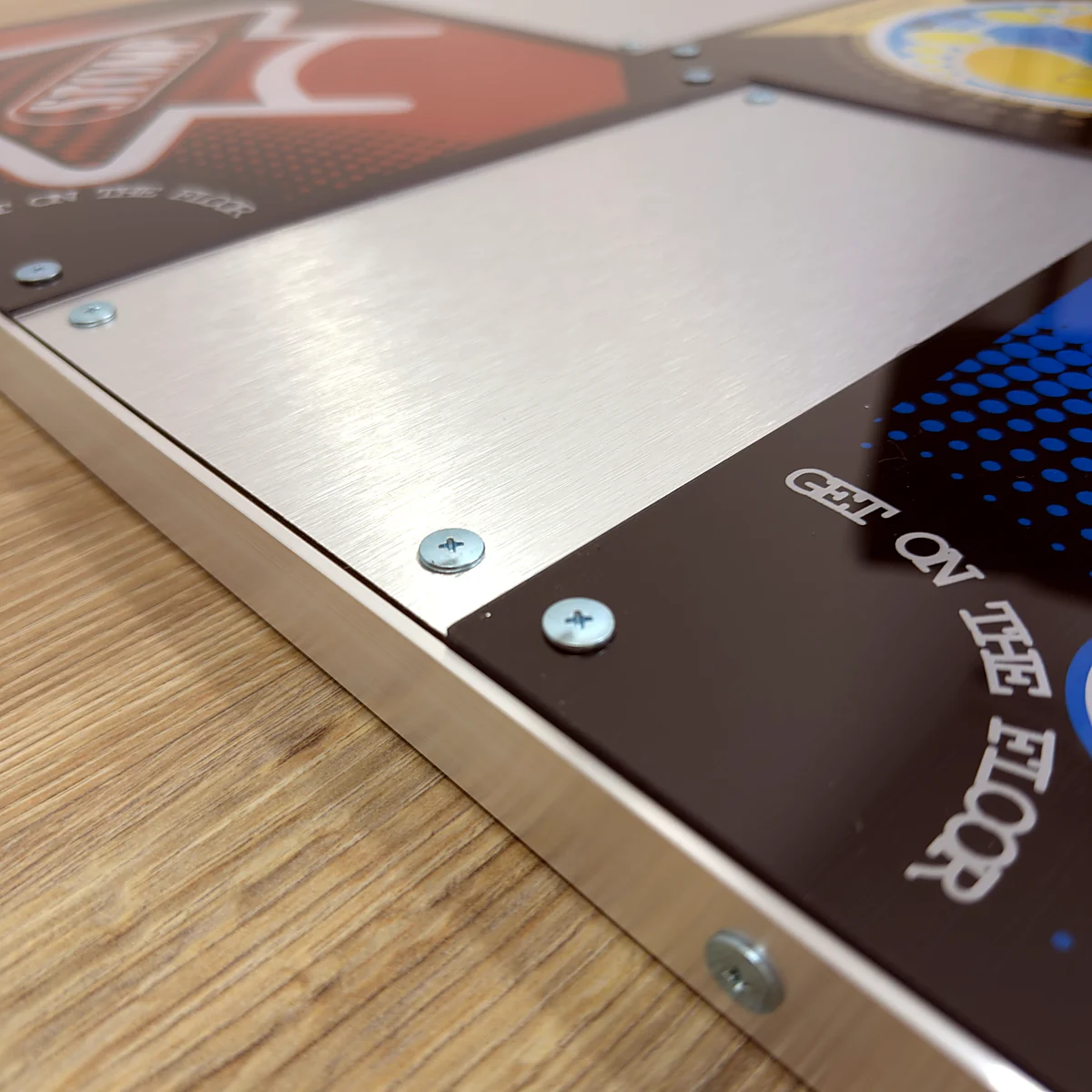
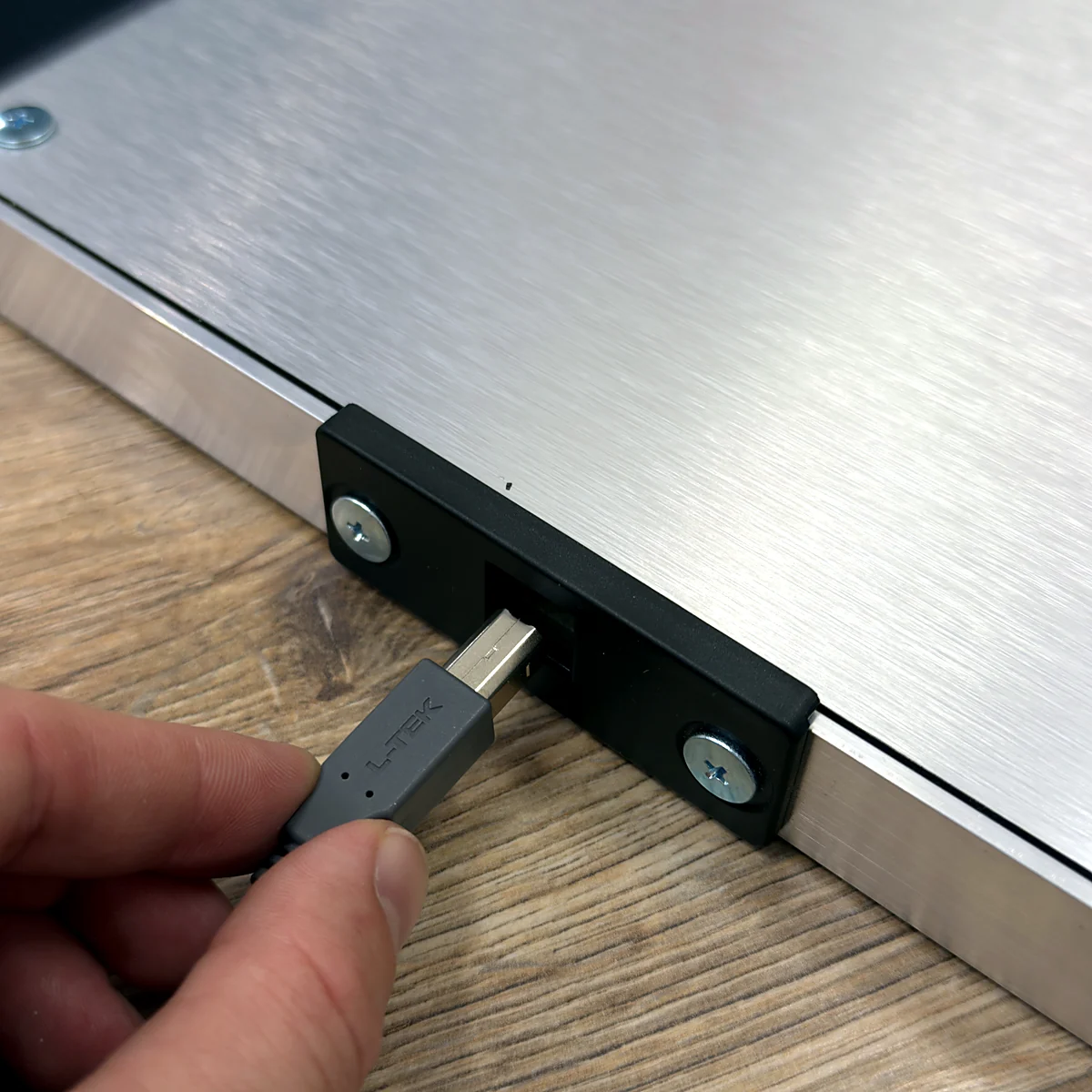
Metal panels sit between the five active positions. Aluminium borders, ABS bumpers and a detachable USB cable complete the construction. Use bare feet or suitable sports shoes as described by L-TEK.
A route to Double play
Two PIU mats can form a ten-panel Double setup with software that supports it. This product is one mat; a second pad, the correct mapping and a suitable floor arrangement are separate choices.
01 / FIVE PANELS, A DIFFERENT PATTERN
Move through the diagonals. Include the centre.
PIU PRO Metal is built around a five-panel arrangement: two upper diagonals, two lower diagonals and the centre. That changes the paths your feet take compared with a four-arrow mat. Learn each position slowly, then combine them as the charts introduce new patterns. The coloured panels mark the five active positions; the four metal panels between them are not four extra inputs. If you are coming from an arcade, the layout will be familiar, but take time to learn this pad’s surface and response. Your home setup does not have to feel identical to a particular arcade machine to become a place you enjoy practising.
New to five-panel play?
Start with one note at a time and deliberately test the centre as well as all four diagonals.
Coming from four arrows?
Use a five-panel chart and its matching game mode. Renaming four directions does not create the missing centre input.
Returning from the arcade?
Give yourself a few easy songs to learn the surface, panel positions and timing of your home setup.
02 / MATCH THE GAME TO THE MAT
Five panels need the right mode and charts.
Connect the mat by USB, then choose software that supports a five-panel pump-style layout. L-TEK recommends the latest StepMania 5.0 LTEK download for Windows; before choosing it for PIU, confirm that the current build provides the pump mode and charts you need. If those options are not listed, ask L-TEK for the current five-panel setup route rather than starting in a four-arrow Dance mode. A Mac also needs suitable software and, where required, a compatible USB-C hub. For an older console, the dedicated PS2/PSX converter is a separate accessory: confirm the exact console, game edition and input mapping before ordering.
03 / A SETUP THAT CAN GROW WITH YOU
Start with five. Plan for ten.
One pad gives you the five positions for Single play. Add a second PIU pad when you want to explore ten-panel Double charts in a game that supports them. Double play means one player moving across both pads; it is different from two people playing separate Single charts. Connect and map each mat, choose the right mode, and check the arrangement before trying a chart that crosses between them. Leave room around the playing area and check that the pads stay correctly positioned. The second mat and any rail or joining solution are separate; confirm a suitable arrangement with L-TEK rather than assuming a connector is included.
Single
One player, one mat, five active positions.
Double
One player, two mats, ten positions and a compatible Double chart.
Two-player sessions
Two players need a game mode that supports their separate inputs and charts.
04 / MAKE THE ROOM WORK FOR YOU
Build a place you want to practise in.
Set the mat on a clean, level surface and route the USB cable away from stepping and walking paths. The 85 × 85 cm footprint is the mat itself: leave additional space to move on and off, and plan more room if you add a rail or another pad. Footsteps can transmit vibration through the floor even when the game audio is quiet, so consider the room below when choosing where to play. If notes feel out of time, check input mapping, display processing and audio before changing your technique. Manual calibration is a useful first step and does not require buying an extra sensor.
A GOOD FIRST EXPERIENCE
Your first five-panel session.
Learn the five positions before the patterns get faster. Already familiar with PIU? Use this as a quick connection and mapping check.
- 01
Place and connect the pad
Use a clean, level floor, leave space around the pad and connect its USB cable to a compatible computer. Keep the lead out of your stepping path.
- 02
Choose a five-panel mode
Use software and a song chart that support the pump-style layout. Check the current LTEK build’s available modes before installing or starting a session.
- 03
Test all five inputs
In the input test or mapping screen, check upper-left, upper-right, centre, lower-left and lower-right separately. The centre must register too.
- 04
Play a slow Single chart
Start with one mat and a low-difficulty chart. Learn the positions, then check timing and practise short patterns before attempting Double play.
WATCH WHEN YOU NEED A HAND
LTEK dance pad review and gameplay
An independent review with gameplay by Centri, playing a Pump It Up–style simulator on a five-panel L-TEK pad. Watch the creator’s experience, then use the specifications here to check the current product.
The external player loads after you click.
THE PRACTICAL DETAILS
Know what you are choosing.
- Product supplied
- 1 × L-TEK PIU PRO Metal dance mat
- Active layout
- 5 panels: four diagonals and centre
- Stepping panels
- 5 PRO panels; low stroke and high sensitivity stated by L-TEK
- Other surface panels
- 4 metal panels between the active positions
- Controller
- 32-bit ARM USB controller
- USB polling
- 1000 Hz; nominal 1 ms polling interval, not total system latency
- Weight
- 18 kg
- Mat dimensions
- 85 × 85 × 3 cm
- Frame and corners
- Aluminium borders and ABS bumpers
- Included connection
- Detachable USB-A to USB-B cable
- Playing footwear
- Bare feet or suitable sports shoes, as described by L-TEK
- Double setup
- Requires a second pad, compatible mode/charts and correct mapping
- Separate equipment
- Computer, display, game/software, rail and console converter are not included
- Warranty
- 2 years
BEFORE YOU DECIDE
Good questions.
Useful answers.
Find the answer here, then follow the guide if you want the detail.
Is the centre an active panel?
Yes. This mat has five active positions: four diagonals and the centre. The four metal panels between them are not extra active inputs. Check all five in the game’s input screen.
Can I use an ordinary four-arrow chart?
Choose a five-panel pump-style mode and a matching chart for the intended PIU layout. A four-arrow Dance chart is a different layout and does not make use of this mat in the same way.
Which StepMania version should I download?
The current L-TEK recommendation is StepMania 5.0 LTEK for Windows. Before using a specific release for PIU, confirm that it supports the five-panel pump mode and charts you need. Ask support if the release notes do not confirm that route.
Do I receive two mats for Double play?
No. This product is one mat. Double play needs two mats, a supported ten-panel mode and mapping for both pads. Check positioning and any joining or support solution before play.
Will it work with my console and game?
A USB connector alone does not establish console compatibility. The L-TEK PS2/PSX converter is a separate connection option; confirm your exact console, game edition and five-panel mapping before ordering. There is no universal-console promise.
Can I add a handbar or choose my own artwork?
A rail is a separate accessory; the Handbar PRO manual lists PIU among supported mat families, so check the current fit and assembly guidance. Custom artwork for this exact PIU model needs separate confirmation before ordering.
MATOLOGY & PRACTICAL HELP
A little more detail, when you need it.
First steps on a dance pad
General setup and beginner technique; use the five-panel instructions on this card for PIU mapping.
PIU sensitivity demonstration
An independent video by Sveinbjörn Egilsson, linked on the creator’s channel.
Ordering a pad to the USA
Understand delivery and import costs separately from the product price.
YOUR NEXT STEP
Make five-panel play part of your week.
Start with one PIU PRO Metal mat, a confirmed five-panel software setup and room to practise. Check the current offer and delivery for your destination, or ask us to help plan a two-pad arrangement.
Third-party product and platform names identify the relevant setup only. Their trademarks belong to their respective owners; L-TEK is an independent manufacturer. Compatibility depends on the stated hardware, software and configuration.
Video
Video hosted by an external platform.
| Weight | 18 kg |
|---|---|
| Dimensions | 85 × 85 × 3 cm |
| Show | |
| Type | |
| Application | |
| Shipping | Standard shipping 8-12 days, Shipping in 24h (+22 €) |
5 reviews for Dance pad PIU PRO Metal
Only logged in customers who have purchased this product may leave a review.
Testimonials and tales shared by our dance family


Love it! I used cheap foam pads for a few months, but could feel their limitations (sliding, inconsistent detection, etc). This new metal pad felt like a clear upgrade. The price is a little steep but feels fair given the quality of the board.
Highly recommend!
Marvelous pad. They’re sturdy enough for playing with shoes. I removed the center screws for each arrow and found the sensitivity to be fantastic. Well worth the price.
This pad is amazing!! Don’t listen to anyone saying theyre “not good enough” even without any mods, the pad feels exactly like the arcade! <3 Thank you iAmats for this amazing pad! i'd give it 20 stars if i could.
This pad is amazing!! Don’t listen to anyone saying theyre “not good enough” even without any mods, the pad feels exactly like the arcade! <3 Thank you iAmats for this amazing pad! i'd give it 20 stars if i could.
This pad is amazing!! Don’t listen to anyone saying theyre “not good enough” even without any mods, the pad feels exactly like the arcade! <3 Thank you iAmats for this amazing pad! i'd give it 20 stars if i could.
Read more reviews on our Reddit
community!
Become a Master
Watch gameplay from CowEye - [DDR] All Star - Smash Mouth

Sensitive, Durable. Perfect for players who enjoys playing without bar like me. Thanks LTEK!
 CowEye on YouTube · 1.67M subscribers
 CowEye on TikTok · 721K followers
CowEye
L-TEK ambassador
Others also bought:
Dance pad LTEK Prime
300 €Next Level Gaming Mat
From 110 €Dance pad LTEK Core
From 240 €

FAQ
Frequently asked questions
Stepmania LTEK is a popular choice for dance mat users due to its simple operation and easy song customization. L-TEK also offers the Connect Buddy, a tool that links Stepmania with the PADY Fitness iOS app, allowing you to monitor your training progress. Both tools are available in our Software section.
Stepmania LTEK can also integrate with the Amusement Lights Controller, adding dynamic lighting effects for enhanced gameplay.
For additional options, LTEK Interactive Mats are compatible with various games to combine fitness and entertainment. Find a list of recommended games in our Games to Play on Mat section.
L-TEK Dance Mats are compatible with PlayStation 2 and PSX consoles using a dedicated converter available in our store. Converters specifically designed for PlayStation 2 and PSX can be found in the PS2 & PSX converter section.


Traveler (verified owner) –
General thoughts:
1. The sensors for the panels are a singular center diamond rather than the 4-rectangle edge layout an arcade panel has, so this may make brackets (pressing multiple panels with a single foot) register less consistently than expected. It also means you might have to hit the panel more on the center than on the edges for the hit to register, so that’s a bit more extra effort. Other users have recommended to modify the sensors to increase their sensitivity.
2. While anti-slip pads are attached to the bottom of the game pad, extreme movements may still cause the pad to move around slightly. If playing Doubles, it may be worth using mending brackets to connect the game pads together. (The screws on the top are spaced so that a 3 1/2″ one should connect them, and the screws on the sides are spaced for a 4″ one. Extreme play might end up wearing out the screw holes though.) Alternatively, add more anti-slip pads to the game pad.
3. The game pad lies pretty close to the ground, so it’ll get pretty loud when playing. Using taller anti-slip pads or laying the game pad on a rug grip pad might help with shock and noise absorption. An actual rug is not suggested unless you have a means of keeping the game pad from slipping on it.
Notes for the nitpicky:
1. There isn’t much extra space at the edges of the game pad, so if you’re playing Doubles you’ll need to plop a piece of wood or something in between game pads to maintain arcade accurate spacing between them. (The OmegaX user manuals say that the gap between game pads should be 2 inches wide and claim to use arcade accurate distances, but get measurements from an arcade machine if you’re not sure.)
2. The metal and the panels are equally level, so this may make it easier to lose track of where to place your feet. For arcade accuracy, the panels are supposed to be slightly lower than the surrounding metal.
Overall verdict: A few minor issues, but good enough for general use. Reviewed after 4 months of play on difficulty level 16 ± 4 (post-Prime ratings).
jullien_nicolas (verified owner) –
Undersensitive (brackets difficult, bracket holds near impossible), but I have paper modded mine and the results are impressive, they are very sensitive.
Also, they are basically the only pad available brand new on this price range. Below are soft mats, obviously very poor compared to this product, and above would be StepManiaX, which availability is lousy and price in another range entirely.
I recommend this product, it is an especially good deal if you are not far from Poland as you can save on the shipping (which can get expensive due to the 18Kg weight !).
Rodrigo Bof Zatta (verified owner) –
Sensor are not so sensitive, need to be modded to get more responsive, the active panels are little higher than the inactive, doesn’t feel like the arcade, feels little bit weird. Overall for the price, it’s OK.
Shin Lee (verified owner) –
My level: SSSed many S16s, can beat almost all S17, can beat a few S18s. SSSed a few D16s, just recently decided to push myself to D17s.
I only bought one of these pads. Out of the box is kind of lousy. The pad is flush and it’s impossible to tell where you’re stepping. However, after paper modding and penny modding, I gotta say I love this pad. It feels very similar to arcade experience in my opinion.
Although the sensitivity is higher with the mods, I cannot comment on the bracketing because I suck at them. I sometimes hit them, but I’m not an expert on it.
Jenifer McGreevey (verified owner) –
The packaging was secure and thorough. For the speed and distance of delivery, I was surprised that the few outside dings to the cardboard had no impact to any of the packaging or product inside.
After fighting with drivers to get soft pads to work in the past, I was delighted that Windows simply recognized the L-TEK pads immediately as LTEK devices. No advanced setup or tweaking, all I had to do was set the buttons in Stepmania/Pump it Up. Perfect setup process. I was worried that having two of the same devices might cause a problem but on repeated uses each pad is always identified and mapped correctly.
The build quality is fantastic and the “foot feel” is excellent. As others have said, it isn’t quite the same as the arcade with its raised screws and brackets so it is easier to lose track of where you’re standing. But the L-TEK pads are heavy enough to limit excessive sliding and I haven’t noticed any “ghost steps” or responsiveness issues with the sensors. I’m also thrilled to be able to play at home with shoes on in a pair of lightweight athletic shoes with a uniformly flat sole. I wouldn’t risk it with boots or hiking shoes though.