
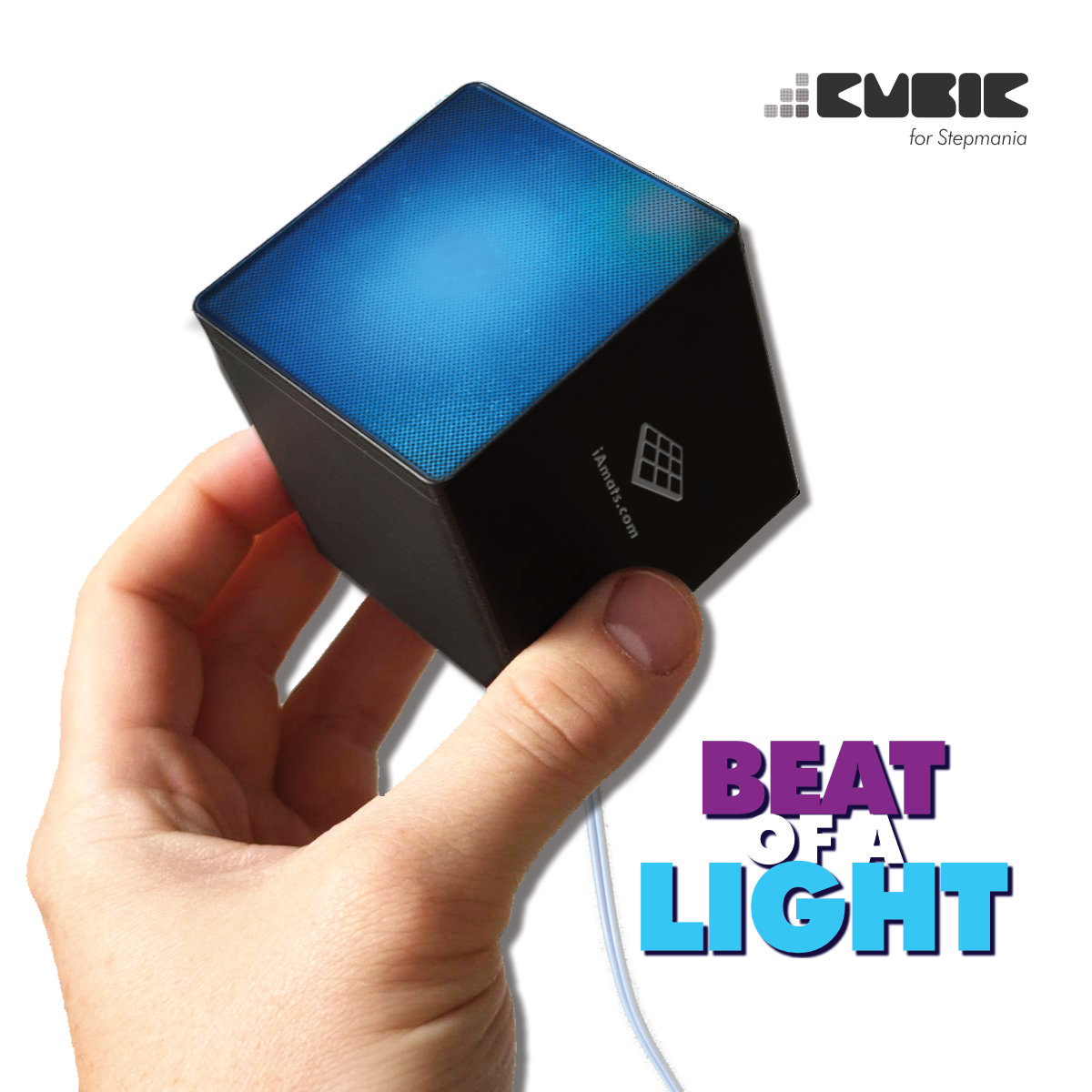


CUBIC Light equalizer
Add responsive light to your StepMania setup with six LED cubics and a dedicated CUBIC controller. Marquee, Bass Light and Beat Light effects bring the action beyond the screen, giving practice sessions and shared play a more complete arcade feel.
 2 year warranty
 Choose standard shipping (8-12 days) or 24h shipping
- Choose standard shipping (8-12 days)
 Customize


Light up your next song
Bring the arcade atmosphere into your room.
Add responsive light to your StepMania setup with six LED cubics and a dedicated CUBIC controller. Marquee, Bass Light and Beat Light effects bring the action beyond the screen, giving practice sessions and shared play a more complete arcade feel.
THE SETUP AT A GLANCE
Each part has a purpose.
LOOK CLOSER
The details that make the difference.
Lighting that follows play
CUBIC is designed for StepMania lighting effects, including Marquee, Bass Light and Beat Light behavior.
Six lights to arrange
The set includes six LED cubics and the control box. Plan their positions around your screen and dance area to suit your room.
A documented software path
The current StepMania 5 LTEK Edition download for Windows lists CUBIC lighting support. Check the release notes and lighting setup guidance before installation.
Power and data connections included
The package includes a USB-C cable, the supplied power kit with regional plugs and its connection adapter, alongside the modules and manual.
A visual upgrade for an existing setup
Add CUBIC when your StepMania computer, display and mat are ready. It provides lighting while your existing game setup handles play.
01 / Beyond the screen
Make the room part of the rhythm.
A screen and a mat get you playing. CUBIC adds a separate layer of light around that setup, using StepMania’s arcade-style lighting behavior to give each session more atmosphere. The system covers Marquee, Bass Light and Beat Light effects, with six physical LED cubics supplied in the box. Arrange them where their light can complement the display and leave your dance area clear. This is a practical next step for a home arcade, a shared game room or a streaming background when the core game setup is already working. Start with a simple arrangement and check the effect during an actual song.
02 / Check your setup first
Connect the lights to supported StepMania software.
CUBIC works as part of a StepMania lighting setup, so the software matters as much as the USB connection. L-TEK’s current software page offers StepMania 5 LTEK Edition for Windows and explicitly lists CUBIC lighting support. That download is marked beta; read its current notes and follow the lighting instructions for your installation. If you already use a different StepMania build or another operating system, confirm support before ordering. The controller connects to the computer for data and uses the supplied power system for the lights. Your dance mat remains part of the game’s input setup, while CUBIC handles the room lighting.
Start from the supported download
Use the current L-TEK software page to check requirements and release notes.
Already have a custom setup?
Ask L-TEK about your operating system and StepMania version before assuming the same lighting setup will apply.
03 / Plan the room
Six cubics, one controller and the connection essentials.
The documented package contains six LED cubics, the control box, the supplied power kit with region-specific plugs and its connection adapter, a USB-C cable and the user manual. The manual’s wiring diagram shows how the light modules, controller, USB connection and separate power supply fit together. Use that diagram to plan cable paths before positioning the lights, keeping the space where you step clear. Your computer, display, dance mat and game setup are separate. The diagram also identifies an additional bass-line slot; an extra light fixture is not listed in the supplied set, so confirm any expansion hardware with L-TEK before adding it.
A GOOD FIRST EXPERIENCE
Add CUBIC to your StepMania setup
Start with a working StepMania computer and use the manufacturer’s manual and setup video for the lighting connections.
- 01
Check your software
Read the current requirements on the L-TEK software page. Its Windows StepMania 5 LTEK Edition lists CUBIC support and is marked beta.
- 02
Plan the light positions
Unpack the six LED cubics and control box. Arrange the modules and cable routes around your setup, keeping the dance surface and stepping area clear.
- 03
Connect data and power
Follow the wiring diagram to connect the cubics to the control box, the USB-C cable to the computer and the supplied power system to the controller.
- 04
Set up and test the effects
Follow the CUBIC lighting guidance for the supported software. Start a song, check the response of the modules and adjust their position to suit your room.
WATCH WHEN YOU NEED A HAND
CUBIC unboxing and setup from iAmats
The manufacturer’s dedicated CUBIC guide. The player opens at the setup segment; restart it to see the unboxing.
The external player loads after you click.
THE PRACTICAL DETAILS
Know what you are choosing.
- Purpose
- Reactive lighting for a supported StepMania setup
- Effects described
- Marquee Lights, Bass Lights and Beat Lights
- LED modules included
- 6 LED cubics
- Controller included
- CUBIC control box
- Power items included
- Power supply kit with region-specific plugs and connection adapter
- Other included items
- USB-C cable and user manual
- Computer connection
- USB
- Documented software option
- StepMania 5 LTEK Edition for Windows; current download marked beta
- Needed separately
- Computer, display, dance mat and supported game/software setup
BEFORE YOU DECIDE
Good questions.
Useful answers.
Find the answer here, then follow the guide if you want the detail.
Is this a complete set of lights?
The manual lists six LED cubics, the control box, the supplied power kit with region-specific plugs and its connection adapter, a USB-C cable and a user manual. Your computer, screen, mat and software setup are separate.
Which software should I use?
The current L-TEK software page lists CUBIC support in StepMania 5 LTEK Edition for Windows. It is marked beta, so check the current requirements and notes. Confirm compatibility before using a different StepMania build or operating system.
Does CUBIC change the controls on my mat?
CUBIC controls the lighting around your StepMania setup. If you want to map mat panels to keyboard, mouse or joystick inputs, the relevant L-TEK accessory is Boulder.
Are six cubics the same as seven arcade effects?
Six is the number of physical LED cubics included. The manual’s reference to seven arcade effects describes lighting behavior, not seven supplied modules.
Will it react to music from any source?
The documented use is lighting driven by a supported StepMania setup. Check with L-TEK before buying for standalone audio, another game or other software.
Can I add another bass light?
The manual shows an additional bass-line slot, but no extra fixture is listed in the box. Ask L-TEK to confirm a compatible expansion and its requirements before connecting additional lighting.
MATOLOGY & PRACTICAL HELP
A little more detail, when you need it.
L-TEK software
The supported Windows download, release status and current requirements.
Build out your StepMania setup
Read about LTEK StepMania, shared play and audio synchronization.
YOUR NEXT STEP
Ready to give your setup its own lighting?
Check the supported software and the included connections, then see the current CUBIC options in the store.
Video
Video hosted by an external platform.
| Weight | 1 kg |
|---|---|
| Dimensions | 25 × 20 × 8 cm |
1 review for CUBIC Light equalizer
Testimonials and tales shared by our dance family


Love it! I used cheap foam pads for a few months, but could feel their limitations (sliding, inconsistent detection, etc). This new metal pad felt like a clear upgrade. The price is a little steep but feels fair given the quality of the board.
Highly recommend!
Marvelous pad. They’re sturdy enough for playing with shoes. I removed the center screws for each arrow and found the sensitivity to be fantastic. Well worth the price.
This pad is amazing!! Don’t listen to anyone saying theyre “not good enough” even without any mods, the pad feels exactly like the arcade! <3 Thank you iAmats for this amazing pad! i'd give it 20 stars if i could.
This pad is amazing!! Don’t listen to anyone saying theyre “not good enough” even without any mods, the pad feels exactly like the arcade! <3 Thank you iAmats for this amazing pad! i'd give it 20 stars if i could.
This pad is amazing!! Don’t listen to anyone saying theyre “not good enough” even without any mods, the pad feels exactly like the arcade! <3 Thank you iAmats for this amazing pad! i'd give it 20 stars if i could.
Read more reviews on our Reddit
community!
Others also bought:
LTEK Handbar PRO
From 340 €Dance pad LTEK Prime
300 €

FAQ
Frequently asked questions
Stepmania LTEK is a popular choice for dance mat users due to its simple operation and easy song customization. L-TEK also offers the Connect Buddy, a tool that links Stepmania with the PADY Fitness iOS app, allowing you to monitor your training progress. Both tools are available in our Software section.
Stepmania LTEK can also integrate with the Amusement Lights Controller, adding dynamic lighting effects for enhanced gameplay.
For additional options, LTEK Interactive Mats are compatible with various games to combine fitness and entertainment. Find a list of recommended games in our Games to Play on Mat section.
L-TEK Dance Mats are compatible with PlayStation 2 and PSX consoles using a dedicated converter available in our store. Converters specifically designed for PlayStation 2 and PSX can be found in the PS2 & PSX converter section.


Aivon_lepgm –
J’ai ce produit ( visible sur mon insta Aivon_lepgm) c’est vraiment un boost sur la qualité du set up.
Seul bémol je trouve le produit un peu chère, mais faut pas oublier que c’est une entreprise familiale. Donc ça ce comprends 🙏