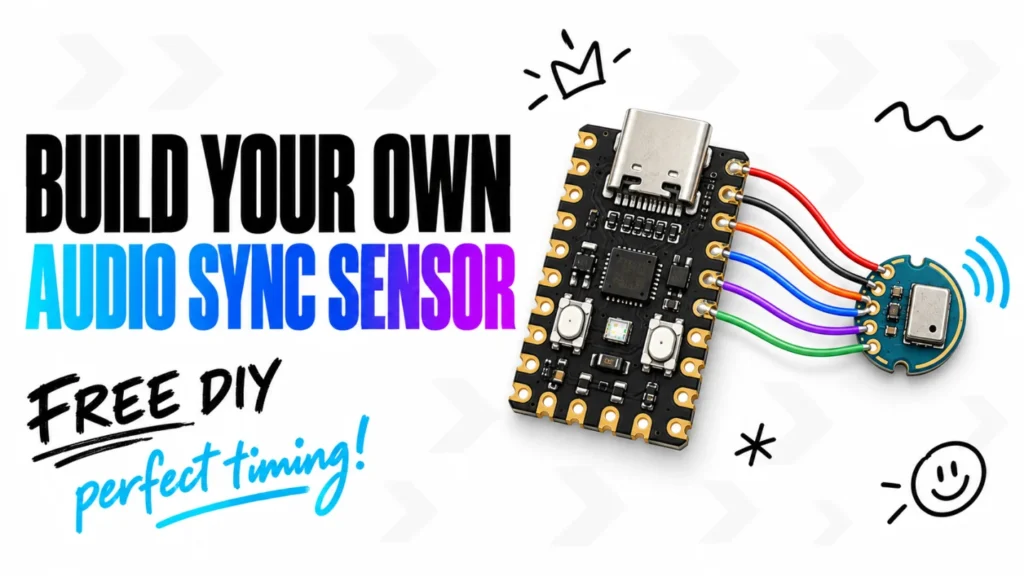
Update, September 2026. Most of this guide is about measuring the offset by hand. You no longer have to. The free StepMania 5 LTEK Edition runs the audio calibration for you: with an LTEK Audio Sync Sensor connected it plays control signals, measures when they actually reach your ears and proposes the offset. Without the sensor the guided manual calibration is still there, and it is faster than the steps below. You can download the free beta for Windows and read what else it brings in The New StepMania LTEK Edition. The rest of this page still applies to older builds, to ITGMania and to Project OutFox.
If your DDR pad feels delayed, inconsistent, or “off beat” during gameplay, you are not alone.
One of the most common problems new rhythm game players experience is input timing issues — especially when setting up an LTEK dance pad for the first time with:
- StepMania
- ITGMania
- Project OutFox
The good news is that most synchronization problems are completely fixable.
This guide explains the most common causes of DDR pad latency, input lag, and calibration issues — and how to fix them properly.
What Does “Out of Sync” Mean in DDR?
A DDR setup feels out of sync when:
- arrows do not match the music naturally
- inputs register too early or too late
- timing judgments feel inconsistent
- you step correctly but still receive “Good” or “Miss”
- gameplay feels delayed compared to the beat
In most cases, the dance pad itself is not broken.
The issue usually comes from:
- audio latency
- display delay
- calibration settings
- USB connection problems
- software configuration
The Most Common Causes of DDR Input Lag
1. Incorrect Calibration
This is the number one cause of sync problems.
Most rhythm games require manual or automatic calibration to align:
- music timing
- visual arrows
- input detection
Without calibration, even a high-quality LTEK pad can feel inaccurate.
How to Calibrate Your DDR Pad Properly
Inside:
- StepMania
- ITGMania
- Project OutFox
look for:
- Input Settings
- Audio Sync
- Calibration
- Global Offset
Then:
- Run automatic calibration if available
- Play a simple song
- Adjust timing gradually
- Repeat until stepping feels natural
Do not over-adjust after every song. Small changes work best.
2. TV Display Latency
Many TVs add hidden image processing that creates input delay.
This can make gameplay feel:
- sluggish
- delayed
- inconsistent
Gaming monitors usually perform much better for rhythm games.
If you use a TV:
- enable Game Mode
- disable motion smoothing
- disable image enhancement features
3. Bluetooth Audio Delay
Bluetooth headphones are one of the biggest causes of rhythm game desync.
Wireless audio introduces latency between:
- music playback
- visual arrows
- player reaction timing
For the best experience:
- use wired headphones
or - use wired speakers
4. VSync Causing Input Delay
VSync can reduce screen tearing, but it may also increase latency.
Many competitive rhythm game players disable VSync entirely.
Try:
- disabling VSync
- enabling fullscreen exclusive mode
- lowering background applications
to improve responsiveness.
5. USB Connection Problems
Avoid:
- cheap USB hubs
- unstable front-panel USB ports
- overloaded adapters
For best results:
- connect directly to motherboard USB ports
- use stable USB 3.0 connections
- avoid extension cables if possible
Why Timing Feels Inconsistent
Sometimes the issue is not actual latency.
New players often:
- stomp too hard
- rush patterns
- react visually instead of rhythmically
DDR timing improves with:
- muscle memory
- rhythm recognition
- consistent practice
This is why easier songs are important at the beginning.
Best Settings for Low-Latency DDR Gameplay
Recommended setup:
- wired headphones
- gaming monitor
- fullscreen enabled
- VSync disabled
- direct USB connection
- properly calibrated offset
These changes alone can dramatically improve gameplay feel.
How to Test If Your DDR Setup Is Fixed
After calibration:
- Play an easy familiar song
- Focus on rhythm consistency
- Watch judgment accuracy
- Test multiple BPM ranges
If timing feels natural across different songs, your setup is likely synchronized correctly.
Are LTEK Pads Causing the Problem?
Usually no.
Most LTEK synchronization complaints are actually caused by:
- software settings
- audio delay
- TV latency
- incorrect calibration
LTEK pads themselves are generally known for:
- accurate input registration
- stable polling
- reliable responsiveness
Final Thoughts
DDR synchronization problems can feel frustrating at first, especially for new players.
But in most cases, the solution is simple:
- calibrate carefully
- reduce audio latency
- avoid TV processing delay
- optimize software settings
Once configured correctly, an LTEK setup can feel extremely responsive and close to a real arcade experience.
FAQ
Why does my DDR pad feel delayed?
The most common causes are incorrect calibration, TV display latency, Bluetooth audio delay, or VSync settings.
How do I calibrate an LTEK DDR pad?
Use the calibration or global offset settings inside StepMania, ITGMania, or Project OutFox and adjust timing gradually using easy songs.
Does Bluetooth cause DDR input lag?
Yes. Bluetooth headphones often introduce audio latency that can make rhythm games feel out of sync.
Should I disable VSync for DDR games?
Many rhythm game players disable VSync because it can increase input delay.
Are LTEK dance pads accurate?
Yes. LTEK hard pads are generally considered responsive and reliable for rhythm gaming when properly configured.
Latest post
- Build Your Own LTEK Audio Sync Sensor
- New StepMania LTEK Edition: Three Mats, a Whole Class, and Rhythm Without the Guesswork
- How to Design Your Own Dance Mat Panels: Photos, Logos and AI Art on an L-TEK
- What Will I Actually Pay? Total Landed Cost for a Dance Pad Shipped to the USA
- Dance Pads in Singapore (2026): Where to Play, What to Buy, How to Import