Many rhythm game fans love the idea of recreating the original Dance Dance Revolution experience at home.
One of the most common questions new buyers ask is:
“Can an LTEK dance pad work on PS1 or PS2?”
The answer depends on:
- the specific LTEK model
- connection type
- adapter compatibility
- the games you want to play
This guide explains the differences between using an LTEK pad on:
- PC
- PlayStation 1
- PlayStation 2
and which setup makes the most sense for modern rhythm gaming.
- Are LTEK Pads Designed for PC or PlayStation?
- Can LTEK Pads Work on PS1 or PS2?
- LTEK on PC — Pros and Cons
- Advantages of PC Setup
- Disadvantages of PC Setup
- LTEK on PS1 / PS2 — Pros and Cons
- Advantages of PS1 / PS2 Setup
- Disadvantages of PS1 / PS2 Setup
- Which Setup Is Better for Most Players?
- Recommended Setup for Beginners
- Common Compatibility Questions
- Do all LTEK pads support PS2?
- Are adapters reliable?
- Is PC latency better than PS2?
- Final Thoughts
- FAQ
Are LTEK Pads Designed for PC or PlayStation?
Most modern LTEK dance pads are primarily designed for PC rhythm gaming.
They are commonly used with:
- StepMania
- ITGMania
- Project OutFox
using USB connectivity on Windows PCs.
PC compatibility is currently the easiest and most reliable setup option.
Can LTEK Pads Work on PS1 or PS2?
In some cases, yes — but compatibility is more limited compared to PC setups.
Older DDR console games use:
- PlayStation controller protocols
- legacy timing systems
- hardware-specific input handling
Modern USB LTEK pads may require:
- special adapters
- controller converters
- additional configuration
depending on the console and game version.
LTEK on PC — Pros and Cons
Advantages of PC Setup
Huge Song Library
PC rhythm games support:
- thousands of community songs
- custom packs
- modern charts
- online updates
Better Calibration Options
Games like ITGMania offer:
- advanced timing calibration
- lower latency
- modern display support
Easier Setup
Most LTEK pads are plug-and-play on Windows PCs through USB.
No adapters are usually required.
Active Community Support
Most modern rhythm gaming communities focus heavily on:
- StepMania
- ITGMania
- custom song packs
- PC tournaments
Disadvantages of PC Setup
Some players feel PC simulators lack:
- original arcade nostalgia
- authentic console presentation
- classic DDR menus and sounds
LTEK on PS1 / PS2 — Pros and Cons
Advantages of PS1 / PS2 Setup
Original DDR Experience
Console gameplay preserves:
- authentic DDR interfaces
- original music lists
- classic timing feel
- nostalgic presentation
Many long-time DDR fans still love playing original PlayStation releases.
Simple Offline Experience
Once configured properly, console setups can feel very straightforward:
- insert disc
- start game
- play immediately
Disadvantages of PS1 / PS2 Setup
Adapter Compatibility Issues
Not all USB adapters work correctly with dance pads.
Problems may include:
- dropped inputs
- incorrect arrow mapping
- delayed timing
- inconsistent polling
Limited Song Selection
Original console games contain much smaller song libraries compared to PC simulators.
Harder Modern Hardware Integration
Older PlayStation consoles may require:
- CRT displays
- special cables
- video converters
- additional latency management
Which Setup Is Better for Most Players?
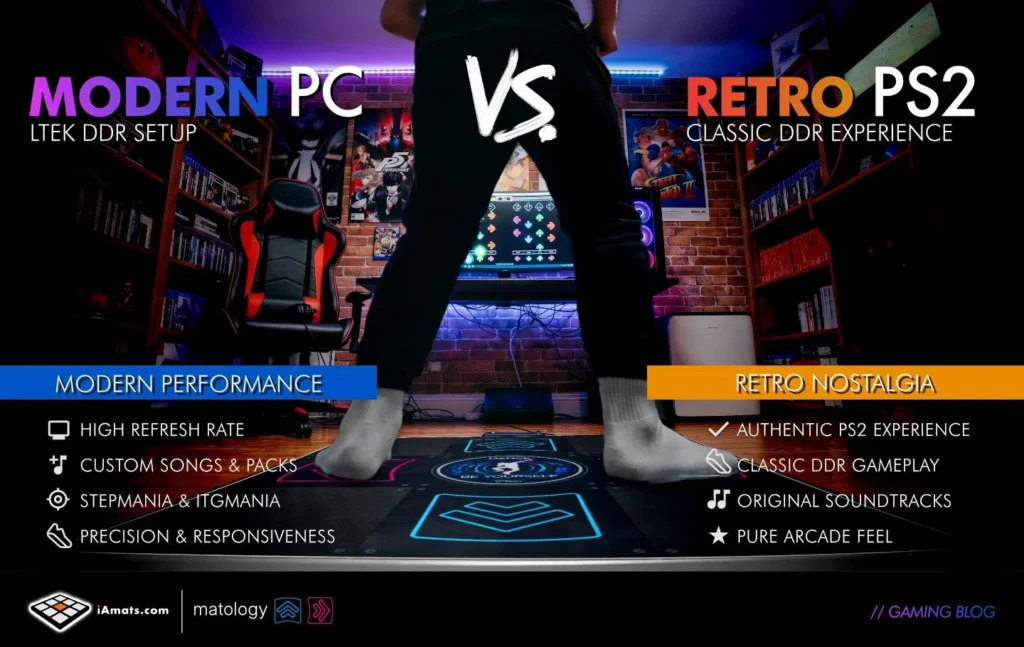
For most modern players, PC is the best overall choice.
Reasons include:
- easier setup
- better compatibility
- larger song libraries
- active software support
- modern calibration tools
However, PS1 and PS2 setups remain popular among collectors and players seeking the original DDR experience.
Recommended Setup for Beginners
If you are completely new to rhythm gaming:
- start with PC
- use StepMania or ITGMania
- calibrate carefully
- learn on beginner-friendly charts
This provides the smoothest learning experience for new LTEK owners.
Common Compatibility Questions
Do all LTEK pads support PS2?
No. Many modern LTEK models are designed specifically for PC USB connectivity.
Always check the exact model specifications before purchasing adapters.
Are adapters reliable?
Some adapters work well, while others introduce:
- latency
- dropped inputs
- synchronization problems
Quality varies significantly.
Is PC latency better than PS2?
In most modern setups, yes.
A properly configured PC with:
- gaming monitor
- wired audio
- calibrated timing
can provide extremely low latency gameplay.
Final Thoughts
LTEK pads are primarily optimized for PC rhythm gaming, especially with:
- StepMania
- ITGMania
- Project OutFox
While PS1 and PS2 compatibility is sometimes possible through adapters, PC setups are usually:
- easier
- more reliable
- more customizable
For most new players, PC remains the best way to experience modern DDR-style gameplay with an LTEK dance pad.
FAQ
Do LTEK dance pads work on PS2?
Some LTEK setups may work on PS2 using compatible adapters, but support varies depending on the model and hardware configuration.
Are LTEK pads better on PC?
For most players, yes. PC offers easier setup, larger song libraries, better calibration, and modern rhythm gaming software.
Can I use StepMania with LTEK pads?
Yes. LTEK dance pads are widely used with StepMania and ITGMania on Windows PCs.
Do PS2 adapters add input lag?
Some adapters may introduce latency or inconsistent input detection depending on their quality.
What is the best setup for new DDR players?
Most beginners are recommended to start with an LTEK pad on PC using StepMania or ITGMania.
- What Will I Actually Pay? Total Landed Cost for a Dance Pad Shipped to the USA
- Dance Pads in Singapore (2026): Where to Play, What to Buy, How to Import
- The Best DDR Pad for Home in 2026
- What makes a great StepMania dance pad?
- Patent US12186654B2 Explained — How L-TEK’s Wireless Dance Mat Works, and Where It’s Used