

Wireless LTEK Dance Mat PRO W Set
Two EX PRO Wireless dance pads and a BaseMINI receiver give you a shared rhythm-game setup without a data cable running from each mat to the computer. Keep the familiar feel of hard dance pads, and choose where the players stand.
 2 year warranty
 Choose standard shipping (8-12 days) or 24h shipping
- Choose standard shipping (8-12 days)
 Customize


TWO PADS · ONE BASE · YOUR SPACE
Make room for the way you play.
Two EX PRO Wireless dance pads and a BaseMINI receiver give you a shared rhythm-game setup without a data cable running from each mat to the computer. Keep the familiar feel of hard dance pads, and choose where the players stand.
THE SETUP AT A GLANCE
Each part has a purpose.
LOOK CLOSER
The details that make the difference.
Two players, one starting point
The set contains two EX PRO Wireless pads and one USB BaseMINI receiver. Your computer, display and suitable game are separate. Configure each player in the software before the first shared song.
Wireless where it matters
The pads communicate with BaseMINI over the dedicated 2.4 GHz radio system. BaseMINI still connects to your computer by USB, and the pads need charging. This is not a Bluetooth pairing workflow.
Up to 60 hours between charges
The product specifies up to 60 hours of active play per charge. This is an upper runtime claim, not a promise for every session; charge the pads before an event and follow the charging guidance supplied with them.
Hard-pad construction
PRO panels, printed artwork, aluminium borders, ABS bumpers and anti-slip feet support regular practice. The product lists 18 kg per pad; allow room to move and store two substantial mats.
Controls close to the player
Integrated Start/Select buttons keep familiar in-game controls on the pad, so you can navigate supported actions without reaching for another input device.
A documented pairing process
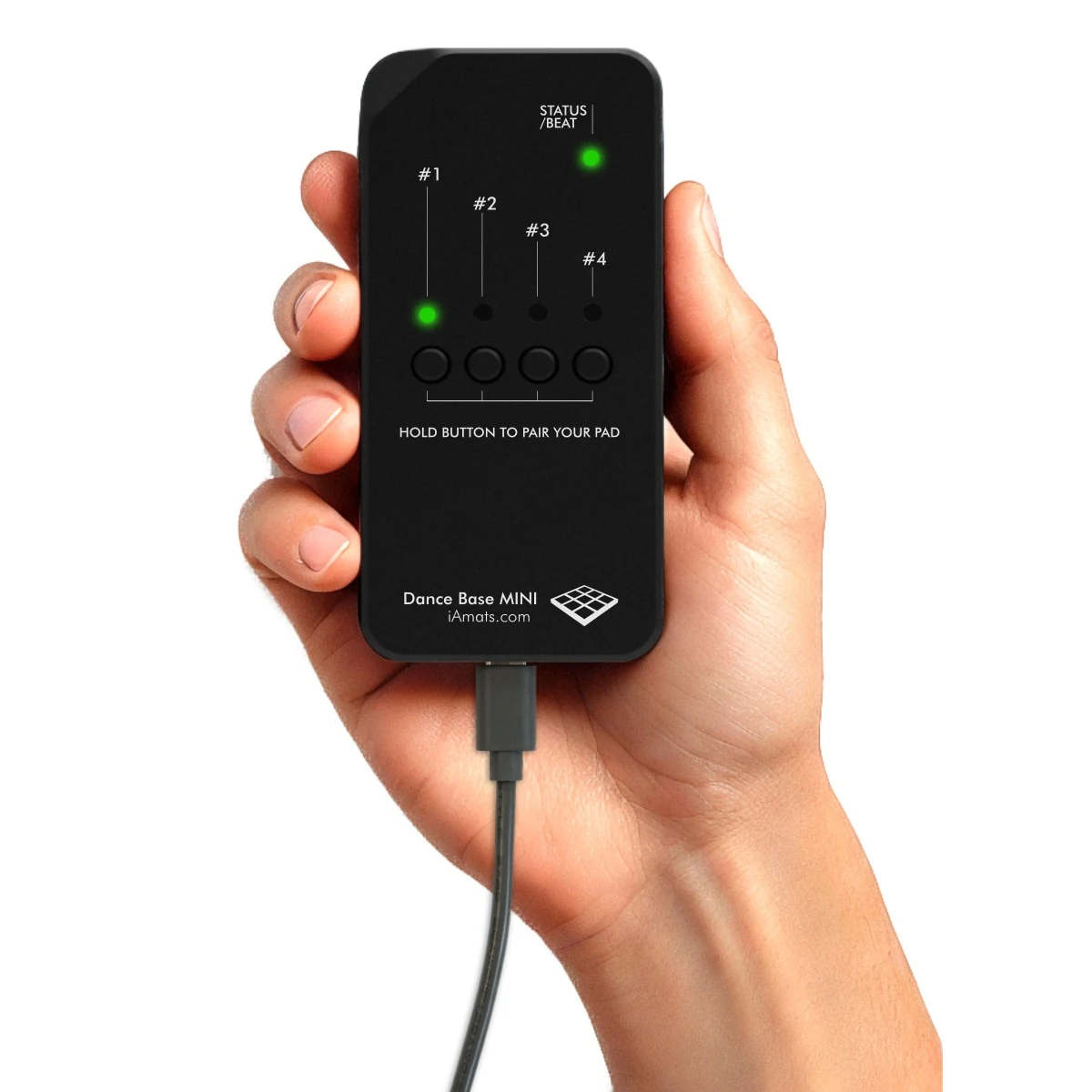
BaseMINI has labelled pairing buttons and a status LED. Follow the manual for its timed pairing sequence and radio-channel selection instead of looking for a Bluetooth device in your computer settings.
01 / UNDERSTAND THE CONNECTION
The floor is wireless. The base uses USB.
Think of BaseMINI as the meeting point for your pads. Each mat sends its input over radio; the receiver passes that input to your computer over USB. That lets you move the play positions without dragging a data lead from each pad across the room. A computer and display still belong in the setup, and the rechargeable pads need an appropriate charging supply. Plan a little clear space around both players, then place the receiver where its connection works reliably in your room.
02 / FROM SOLO PRACTICE TO SHARED PLAY
One more player changes the evening.
Practise on your own, take turns on favourite charts, or set up a two-player session with a game that supports it. Start with one pad and a simple chart, then map the second player separately. The hardware connection and the game’s player support are different parts of the setup: both need to be right. For Windows, use the latest StepMania 5.0 LTEK release and check its current requirements on the download page. The recommended Windows build is not a macOS or Android app.
At home
Keep the computer near the screen and arrange two clear playing positions.
For practice sessions
Check charging, pairing and timing before the session starts, not after the first player arrives.
For a larger space
Discuss pad count, base revision and software with L-TEK before planning an expanded installation.
03 / A SETUP THAT FEELS RIGHT
Good timing includes the screen and sound.
L-TEK lists 4 ms timing for this wireless product. That figure is not a measured promise for the total delay through your game, computer, screen and audio system. Select an appropriate display mode, avoid unnecessary audio processing, and calibrate the game using a familiar easy chart. Wireless communication does not remove the need for calibration, and a patent is not a benchmark of the complete playing experience.
04 / PLAN THE RIGHT SYSTEM
Start with two. Check the next step.
This order includes two pads and one BaseMINI. For an expanded installation, confirm the receiver revision, number of pads and software support with L-TEK before ordering extra hardware. The separate fitness system for larger groups is a different installation, not a feature unlocked simply by buying this set. For a console, ask about the exact console, game and connection path so the connection is clear before you buy. Planning those details first helps you choose a system that fits the way your group wants to play.
A GOOD FIRST EXPERIENCE
Your first wireless session, in four steps.
Already know the arrows? Use these steps to check the receiver and player mapping, then get straight to the music.
- 01
Charge and make space
Charge both mats as directed by the supplied documentation. Place them on a clean, level surface with room around each player.
- 02
Connect the receiver
Connect BaseMINI to a compatible computer by USB. Check the receiver status indicator and keep your display and sound ready.
- 03
Pair and map each player
Use the BaseMINI manual’s pairing sequence, then assign and test the arrows for each player in your game.
- 04
Start with an easy song
Choose a low-difficulty chart, check sound and input timing, then adjust calibration before trying faster patterns.
WATCH WHEN YOU NEED A HAND
First arrows. Small steps. A real start.
A general L-TEK beginner technique lesson. It shows how to approach the arrows; it is not a demonstration of this particular bundle or its hardware setup.
The external player loads after you click.
THE PRACTICAL DETAILS
Know what you are choosing.
- Included pads
- 2 × EX PRO Wireless
- Included receiver
- 1 × LTEK USB BaseMINI
- Wireless connection
- Dedicated radio system in the 2.4 GHz ISM band
- Computer connection
- USB from BaseMINI; suitable computer and display required
- Batteries
- Rechargeable; up to 60 hours of active play stated by L-TEK
- Charging
- Product specifies a USB 1 A charging supply; check supplied charging instructions
- Listed timing
- 4 ms product figure; not total system latency
- Weight
- 18 kg per pad; 36 kg for the pair as listed
- Panel construction
- PRO panels, UV artwork, aluminium borders and ABS bumpers
- Player controls
- Integrated Start/Select
- Expansion
- Confirm receiver revision and software before adding more pads
- Warranty
- 2 years
BEFORE YOU DECIDE
Good questions.
Useful answers.
Find the answer here, then follow the guide if you want the detail.
Does “wireless” mean no cables at all?
The pad-to-base connection is wireless. BaseMINI uses USB to the computer, and each mat needs charging. There is no claim here that the mat’s charging socket also provides wired gameplay.
Are there two mats or three?
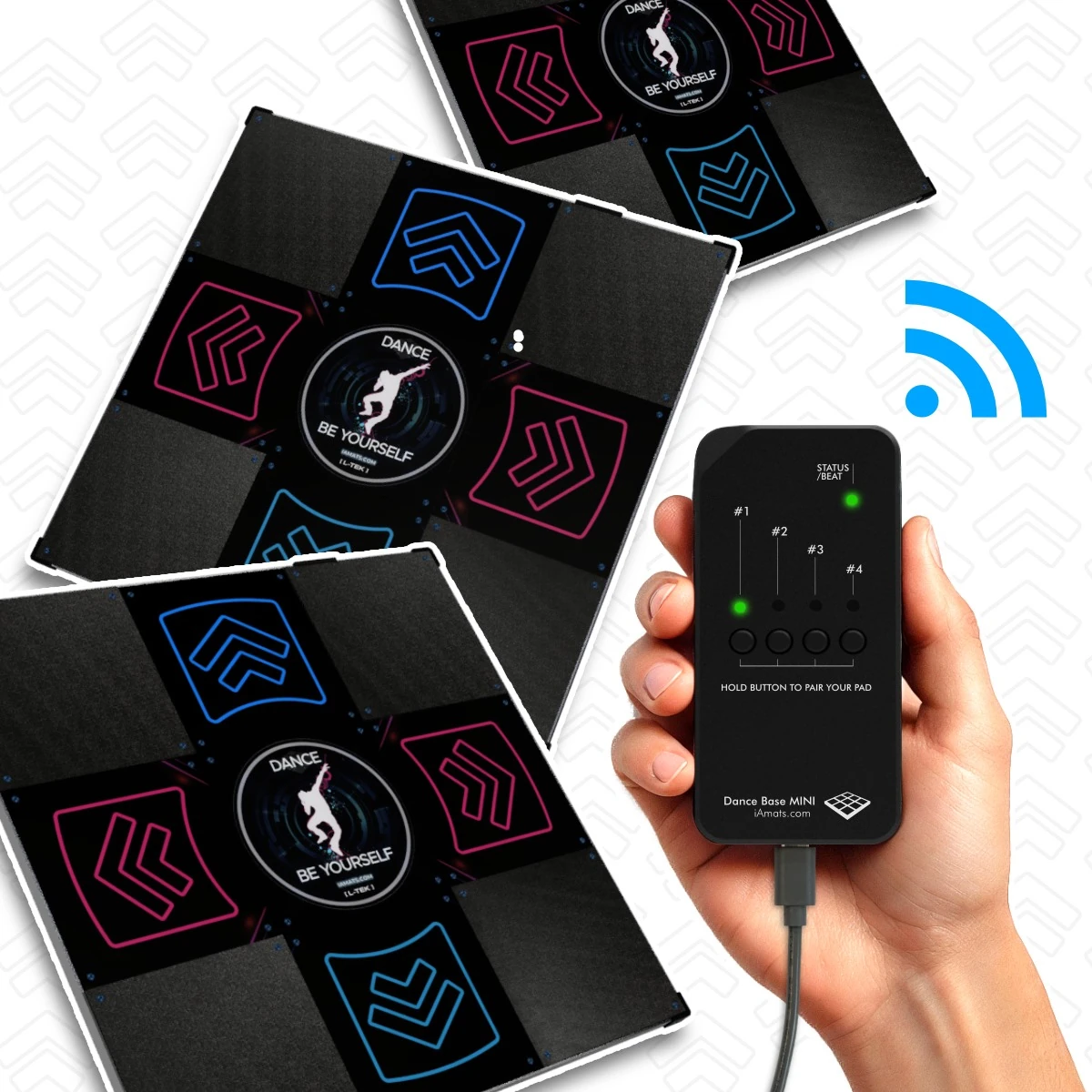
Two mats and one BaseMINI are included. The installation photo shows three mats to illustrate the system, not the contents of this order.
Can I connect four mats?
The manual shows four pairing positions, but confirm the shipped receiver version and software before planning a four-player setup. Four radio channels also do not mean four players automatically work in every game.
Do I need my own computer?
Yes. This set includes the mats and BaseMINI, not a computer or screen. Start with the current StepMania 5.0 LTEK requirements for Windows; check the separate software route if you use macOS.
Can a school use this set?
It can be the starting point for a small supervised rhythm-game setup. For larger classes or fitness installations, discuss the correct base, software, space and pad count with L-TEK.
Will it be silent in an apartment?
Footsteps and movement can still transmit sound and vibration through the floor. Choose a suitable position and consider the room below as well as the sound from the game.
MATOLOGY & PRACTICAL HELP
A little more detail, when you need it.
BaseMINI pairing and radio guide · PDF
Pair pads, read the indicators and change the RF channel.
Your first arrows: the beginner guide
Learn simple footwork before chasing a harder chart.
StepMania LTEK and the setup guide
Understand the recommended software and timing workflow.
YOUR NEXT STEP
Build your two-player space.
Check the current offer, dispatch options and delivery cost for your destination. Confirm expansion or console plans before choosing extra hardware.
Video
Video hosted by an external platform.
| Weight | 36 kg |
|---|---|
| Dimensions | 90 × 95 × 12 cm |
| Type | |
| Application | |
| Shipping | Standard shipping 8-12 days, Shipping in 24h (+66 €) |
3 reviews for Wireless LTEK Dance Mat PRO W Set
Only logged in customers who have purchased this product may leave a review.
Testimonials and tales shared by our dance family


Love it! I used cheap foam pads for a few months, but could feel their limitations (sliding, inconsistent detection, etc). This new metal pad felt like a clear upgrade. The price is a little steep but feels fair given the quality of the board.
Highly recommend!
Marvelous pad. They’re sturdy enough for playing with shoes. I removed the center screws for each arrow and found the sensitivity to be fantastic. Well worth the price.
This pad is amazing!! Don’t listen to anyone saying theyre “not good enough” even without any mods, the pad feels exactly like the arcade! <3 Thank you iAmats for this amazing pad! i'd give it 20 stars if i could.
This pad is amazing!! Don’t listen to anyone saying theyre “not good enough” even without any mods, the pad feels exactly like the arcade! <3 Thank you iAmats for this amazing pad! i'd give it 20 stars if i could.
This pad is amazing!! Don’t listen to anyone saying theyre “not good enough” even without any mods, the pad feels exactly like the arcade! <3 Thank you iAmats for this amazing pad! i'd give it 20 stars if i could.
Read more reviews on our Reddit
community!
Others also bought:
Panel customization
From 6 €Color bumpers for Dance Mat
From 10 €


FAQ
Frequently asked questions
Stepmania LTEK is a popular choice for dance mat users due to its simple operation and easy song customization. L-TEK also offers the Connect Buddy, a tool that links Stepmania with the PADY Fitness iOS app, allowing you to monitor your training progress. Both tools are available in our Software section.
Stepmania LTEK can also integrate with the Amusement Lights Controller, adding dynamic lighting effects for enhanced gameplay.
For additional options, LTEK Interactive Mats are compatible with various games to combine fitness and entertainment. Find a list of recommended games in our Games to Play on Mat section.
L-TEK Dance Mats are compatible with PlayStation 2 and PSX consoles using a dedicated converter available in our store. Converters specifically designed for PlayStation 2 and PSX can be found in the PS2 & PSX converter section.


Jack –
I purchased the “Dance mat 2x LTEK EX PRO W + USB Base MINI” with the intention of having intense dance sessions in the comfort of my home. I am thrilled with how this mat has enhanced my dancing experience.
davy.hollebeke (verified owner) –
I really like the wireless L-Tek dance mat. The battery last a very long time and even if its flat, a sufficiently long cable is added for charging that I have never had any issue. The wireless capability has enabled me to use the pads in several settings where it would otherwise have been difficult and the pads themselves have survived a lot of use without issue.
I only have one major annoyance, and that is that L-Tek does not sell or want to sell the wireless base module as a separate unit. This means that I cannot divide up the 2 pads for 2 separate installations, nor loan 1 to a friend or anything like that. The wireless pads do not seem to have a wired backup option on the board. The USB seems to be for charging only.
Anthony Chan (verified owner) –
We recently received our wireless LTEK dance mat pro (comes with 2 mats + receiver) and they work amazingly well. Shipping was super fast and came well packaged and undamaged via FedEx air. Communication was prompt and the team was responsive.
There isn’t much in way of instructions, just plug the wireless adapter into your computer (it was packaged with one of the mats), charge up your mats with the included USB cables to some old phone plugs, sync the mats to the adapter (2 green lights should appear), map your directions in whatever game you use (ITGMania for us) and start having fun!