


I dance solo Dance Mat Set
Bring the dance mat, rail and computer together in one home setup. I dance solo combines an EX PRO X mat, The Handbar and a refurbished GameMate PC, so you can build a regular rhythm-game corner around your own display.
 2 year warranty
 Choose standard shipping (8-12 days) or 24h shipping
- Choose standard shipping (8-12 days)
 Customize


PRO X + THE HANDBAR + GAMEMATE
Give your practice a place of its own.
Bring the dance mat, rail and computer together in one home setup. I dance solo combines an EX PRO X mat, The Handbar and a refurbished GameMate PC, so you can build a regular rhythm-game corner around your own display.
THE SETUP AT A GLANCE
Each part has a purpose.
LOOK CLOSER
The details that make the difference.
Three parts, one purpose
The published bundle contains an EX PRO X dance mat, The Handbar and a GameMate computer. It is a wired home setup; a wireless receiver is not listed among the contents.
Four active arrows
EX PRO X is a four-panel rhythm-game mat. Its printed nine-panel surface does not mean nine independently active stepping areas.
A rail for home practice
The included The Handbar is the home model, with a steel structure and powder-coated finish. It is distinct from the separately sold Handbar PRO.
A computer is part of the set
GameMate is a refurbished PC prepared for L-TEK mats. Its product listing includes StepMania LTEK among the supplied apps; confirm the installed release and connections for the unit you will receive.
Make the screen work for you
Use a compatible display and audio arrangement of your own. Check the supplied PC’s output before choosing a cable or adapter; a TV or monitor is not listed in this bundle.
Start small, keep progressing
Assemble the rail, check stability and map the arrows before your first song. A simple chart gives you time to learn timing and footwork without rushing.
01 / YOUR OWN PRACTICE CORNER
Less hunting for parts. More time for music.
A mat, a rail and a game computer each solve a different part of the setup. The mat reads your steps; The Handbar gives you the rail used in bar-supported play; GameMate runs the software. Bring them together near a compatible screen, leaving room to step on and off comfortably. This is a good fit when you want a dedicated home arrangement and do not want your everyday laptop to be part of every session. You still need to choose the display, sound and space that work for your room.
Under your feet
One wired EX PRO X mat with four active arrows.
Behind the pad
The Handbar home rail, assembled according to its instructions.
At the screen
A refurbished GameMate PC prepared for L-TEK software.
02 / KNOW WHICH RAIL YOU ARE CHOOSING
The Handbar. Included with the pad.
This bundle names The Handbar, not Handbar PRO. Its separate product page describes a steel, powder-coated rail for home and amateur use, supplied for assembly with the tools required. Follow the current assembly instructions and check every fixing before play. Allow space behind the mat as well as in front of the screen. If you specifically want the heavier Handbar PRO construction, ask L-TEK about the right order rather than assuming an upgrade is included in this set.
03 / YOUR FIRST SESSION ON GAMEMATE
Switch on. Check the setup. Find your first song.
The GameMate listing describes a refurbished computer preloaded with L-TEK apps, including StepMania LTEK. The current recommendation is the latest StepMania 5.0 LTEK release; confirm what is installed on the shipped computer before updating. Connect your display and audio, then check each arrow in the game’s input menu. Pick a slow chart and calibrate if the steps feel out of time. The software lives on the computer, not inside the dance mat.
04 / MAKE IT WORK IN YOUR ROOM
A proper setup starts with the floor.
Place the mat and rail on a clean, level surface and route USB and power leads away from stepping and walking paths. A hard mat and a rail need more planning than a handheld controller: check access to the room, storage and the position of the screen. Sound from the game and the impact of footsteps are separate considerations. Lowering the music does not remove vibration through the floor, so choose a sensible time and place for regular practice.
A GOOD FIRST EXPERIENCE
From the box to your first chart.
New to dance mats? Set up each part once, then start with a song that gives you time to think.
- 01
Assemble and check the rail
Follow The Handbar instructions, tighten the specified fixings and check that the mat and rail sit securely on a level floor.
- 02
Connect the computer and display
Connect GameMate to your own compatible screen and audio setup. Check the supplied ports, leads and adapters before powering everything on.
- 03
Connect and map the pad
Connect EX PRO X by USB. Open the installed StepMania LTEK software and test each of the four arrows in the input settings.
- 04
Try a simple chart
Choose an easy song, learn the arrows and adjust timing if needed. Use the beginner lesson to build footwork before increasing difficulty.
WATCH WHEN YOU NEED A HAND
First arrows. Small steps. A real start.
A general L-TEK beginner technique lesson. It shows how to approach the arrows; it is not a demonstration of this particular bundle or its hardware setup.
The external player loads after you click.
THE PRACTICAL DETAILS
Know what you are choosing.
- Bundle mat
- 1 × EX PRO X
- Included rail
- 1 × The Handbar (home model; not Handbar PRO)
- Included computer
- 1 × refurbished GameMate PC
- Input layout
- 4 active directional panels on the EX PRO X mat
- Mat connection
- Wired USB
- Software
- GameMate listing includes StepMania LTEK; confirm installed release
- Display
- Your compatible display and audio setup are separate
- Listed bundle weight
- 32.5 kg
- Assembly
- Rail assembly required; follow the current instructions
- Warranty
- 2 years as listed on the bundle page
BEFORE YOU DECIDE
Good questions.
Useful answers.
Find the answer here, then follow the guide if you want the detail.
Is this the Handbar PRO bundle?
No. The current bundle names The Handbar, the home model. Handbar PRO is a different product; ask about an alternative order if that is the rail you want.
Do I still need a computer?
GameMate is included. You need a compatible display and audio arrangement, and should confirm the supplied PC’s ports and cable contents before the order.
Is the mat wireless?
This set is listed as EX PRO X + The Handbar + GameMate. It is not the Wireless PRO W Set and does not list BaseMINI as an included receiver.
Does GameMate come with software?
The GameMate product page says apps including StepMania LTEK are preloaded. Confirm the installed version for the delivered computer; the latest recommended release is available on the software page.
Can I start as a complete beginner?
Yes: use an easy chart after assembly and input mapping. Learn a few arrows at a time and use the general beginner technique lesson before moving to faster songs.
Can I order a different panel design?
Do not assume the Artist Edition or a custom design is included in this bundle. Ask L-TEK to confirm the panel service and how it should be added to the specific set order.
MATOLOGY & PRACTICAL HELP
A little more detail, when you need it.
Your first arrows: the beginner guide
Simple technique and a gentle route into the first songs.
Fix audio and input timing
Troubleshoot the complete display, sound and game setup.
Plan an order to the USA
Understand the difference between product price, delivery and import costs.
YOUR NEXT STEP
Make a space for your next song.
Choose the Solo bundle if you want the mat, home rail and computer together. Check the current offer and confirm your display connection before ordering.
Video
Video hosted by an external platform.
| Weight | 32.5 kg |
|---|
Testimonials and tales shared by our dance family


Love it! I used cheap foam pads for a few months, but could feel their limitations (sliding, inconsistent detection, etc). This new metal pad felt like a clear upgrade. The price is a little steep but feels fair given the quality of the board.
Highly recommend!
Marvelous pad. They’re sturdy enough for playing with shoes. I removed the center screws for each arrow and found the sensitivity to be fantastic. Well worth the price.
This pad is amazing!! Don’t listen to anyone saying theyre “not good enough” even without any mods, the pad feels exactly like the arcade! <3 Thank you iAmats for this amazing pad! i'd give it 20 stars if i could.
This pad is amazing!! Don’t listen to anyone saying theyre “not good enough” even without any mods, the pad feels exactly like the arcade! <3 Thank you iAmats for this amazing pad! i'd give it 20 stars if i could.
This pad is amazing!! Don’t listen to anyone saying theyre “not good enough” even without any mods, the pad feels exactly like the arcade! <3 Thank you iAmats for this amazing pad! i'd give it 20 stars if i could.
Read more reviews on our Reddit
community!
Others also bought:
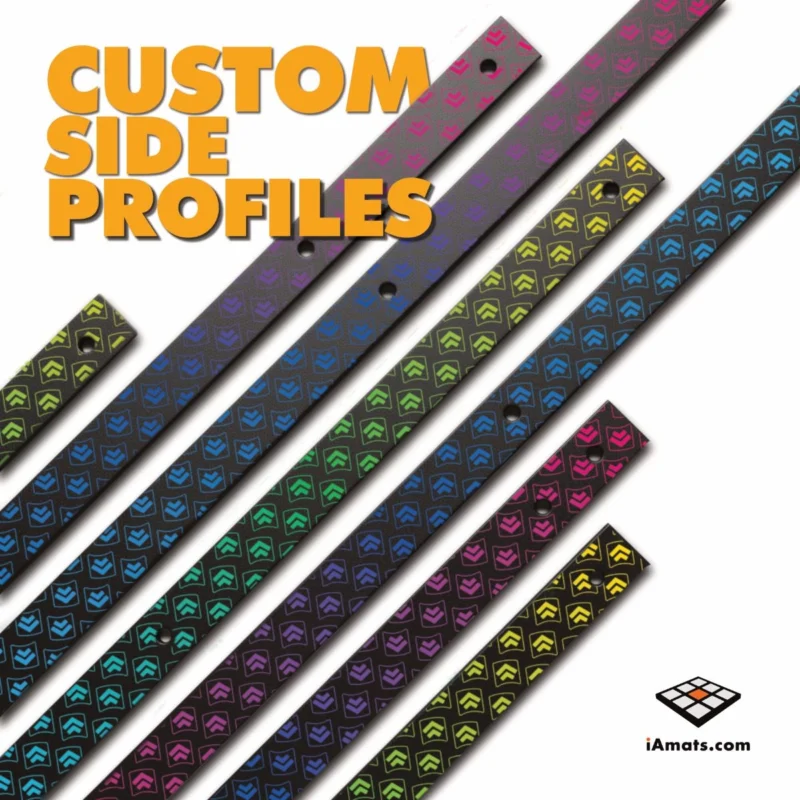
Panel customization
From 6 €Color bumpers for Dance Mat
From 10 €


FAQ
Frequently asked questions
Stepmania LTEK is a popular choice for dance mat users due to its simple operation and easy song customization. L-TEK also offers the Connect Buddy, a tool that links Stepmania with the PADY Fitness iOS app, allowing you to monitor your training progress. Both tools are available in our Software section.
Stepmania LTEK can also integrate with the Amusement Lights Controller, adding dynamic lighting effects for enhanced gameplay.
For additional options, LTEK Interactive Mats are compatible with various games to combine fitness and entertainment. Find a list of recommended games in our Games to Play on Mat section.
L-TEK Dance Mats are compatible with PlayStation 2 and PSX consoles using a dedicated converter available in our store. Converters specifically designed for PlayStation 2 and PSX can be found in the PS2 & PSX converter section.


Reviews
There are no reviews yet.