


Home party Dance Mat Set
Home party Dance Mat Set brings two EX PRO X mats, a refurbished GameMate PC and an L-TEK USB Lights Controller together. Start with a two-player rhythm-game setup, then build optional 12 V LED lighting around the DIY controller. Your display, LED lights and their 12 V power supply are separate.
 2 year warranty
 Choose standard shipping (8-12 days) or 24h shipping
- Choose standard shipping (8-12 days)
 Customize


TWO PRO X MATS · GAMEMATE · USB LIGHTS
Build a dance night around two players—and your own lighting.
Home party Dance Mat Set brings two EX PRO X mats, a refurbished GameMate PC and an L-TEK USB Lights Controller together. Start with a two-player rhythm-game setup, then build optional 12 V LED lighting around the DIY controller. Your display, LED lights and their 12 V power supply are separate.
THE SETUP AT A GLANCE
Each part has a purpose.
LOOK CLOSER
The details that make the difference.
Two pads and a computer
The bundle includes two EX PRO X mats and a refurbished GameMate PC. Use your own compatible screen and sound setup to build the shared playing space.
Four arrows per player
Each PRO X is a four-arrow DDR-style mat with artwork across nine glossy surface panels. Full-surface printing does not make all nine panels active inputs.
Substantial PRO X construction
Each mat combines PRO panels, aluminium borders, ABS bumpers and anti-slip stands in an 18 kg build. Bare feet and sports shoes are both supported.
Software prepared on GameMate
GameMate comes with apps including StepMania LTEK. Check the installed release and supplied PC connections, then use the current Software page for the latest Windows edition.
A USB board for your light design
The L-TEK Lights Controller offers seven outputs for suitable 12 V LED strips or lamps, with a maximum of 1 A per channel. Lighting is controlled from compatible Windows LTEK software.
Know what the lighting needs
The controller is a DIY board. LED lights and the 12 V power supply are separate, and basic electronics skills are needed for the lighting installation.
01 / THE DANCE FLOOR STARTS HERE
Two PRO X pads, a shared screen and room to move
Set up one clear playing position for each person, facing the same compatible display. The EX PRO X mats have four active direction panels surrounded by a full nine-panel printed surface. Start with a slow chart, then use the player and difficulty options of your chosen game for a shared session. The mats connect by USB; the lighting controller does not make the mat connection wireless.
Plan the floor space
Each mat measures 85 × 85 × 3 cm and weighs 18 kg. Leave room to step off, keep the bases stable and route USB and power leads away from the players.
Think beyond the music volume
Footstep impact and game audio are different sources of sound. Choose the position and playing times with the rest of the household in mind.
02 / GET THE GAME READY FIRST
Use GameMate as the centre of the session
The refurbished GameMate computer comes prepared for L-TEK mats, with apps including StepMania LTEK. Connect your compatible display and audio, check the installed game, and assign each mat to the correct player. Run a short test song before adding lighting so you know the inputs, picture and sound work together.
A clear software route
The current StepMania 5.0 LTEK Edition is a free Windows beta with Automap, a tutorial and calibration tools. Confirm the delivered computer’s system and installed version before an update; back up your songs, profiles and settings.
Choose cables for the supplied PC
Computer revisions and display outputs can differ. Confirm the unit’s actual connections and included accessories before buying a screen adapter.
03 / THE LIGHTING IS YOUR PROJECT
Turn the controller into a lighting setup that suits the room
The USB Lights Controller is a board for a DIY installation, rather than a finished lamp set. It supports seven outputs for appropriate 12 V LED strips or lamps. The controller documentation describes Windows LTEK software support and light settings within the game. Build and connect the lighting according to the manual before enabling its effects.
Provide the lighting hardware
LED strips or lamps and a suitable 12 V power supply are separate. Respect the maximum 1 A / 12 W load per output and follow the current manual when sizing and connecting the installation.
Keep the two connections distinct
USB connects the controller to the computer; the external 12 V supply powers the lights. Basic electronics skills are needed. You can set up the mats and game before completing the lighting project.
A GOOD FIRST EXPERIENCE
Build your first Home Party session
Get the two-player game working first, then complete and test the optional lighting installation.
- 01
Arrange the pads and screen
Choose a level floor, leave clearance around both players and keep all cable routes out of stepping areas. Position a compatible screen where both people can see the arrows.
- 02
Connect and check GameMate
Connect your display and sound to the supplied PC. Check the installed LTEK software and map the four arrow inputs for each mat separately.
- 03
Try an easy shared song
Use an easy chart to confirm the player assignment and timing. Calibrate the screen and audio before trying faster patterns.
- 04
Add the DIY lighting
Follow the controller manual to connect suitable 12 V LED lights and their separate power supply. Check all connections and channel loads, then configure the controller in supported Windows LTEK software.
WATCH WHEN YOU NEED A HAND
Learn your first arrows
A general L-TEK beginner lesson on reading the arrows and placing your feet. It teaches the basic technique rather than demonstrating this particular product or its hardware setup.
The external player loads after you click.
THE PRACTICAL DETAILS
Know what you are choosing.
- Bundle contents
- 2 × EX PRO X mats; 1 × refurbished GameMate PC; 1 × USB Lights Controller
- Mat layout
- 4 active arrow panels per mat; 9 glossy printed surface panels
- Per-mat dimensions
- 85 × 85 × 3 cm
- Per-mat weight
- 18 kg
- Mat controller
- High-speed 32-bit ARM; low sensor stroke and high sensitivity
- Mat polling
- 1000 Hz USB polling; nominal 1 ms interval
- Mat construction
- PRO panels, UV print, aluminium borders, ABS bumpers and anti-slip stands
- Mat connection
- Wired USB; detachable USB-A to USB-B connection
- Mat footwear
- Bare feet or sports shoes
- GameMate software
- Apps include StepMania LTEK; confirm installed release
- Lighting controller
- USB board for DIY construction; 7 outputs
- Lighting load
- 12 V LED strips or lamps; maximum 1 A / 12 W per channel
- Lighting prerequisites
- Separate suitable 12 V supply and LED lights; basic electronics skills
- Lighting software
- Compatible Windows LTEK software; configure through the game’s light settings
- Your display
- Compatible screen and audio arrangement are separate
- Listed bundle weight
- 38.5 kg
- Warranty
- 2 years
- Lighting controller cable
- USB-C to USB-A cable, supplied with the controller
BEFORE YOU DECIDE
Good questions.
Useful answers.
Find the answer here, then follow the guide if you want the detail.
Does the set include finished lamps or LED strips?
The bundle includes the USB Lights Controller board. LED lamps or strips and their 12 V power supply are separate, and the lighting is a DIY installation requiring basic electronics skills.
Are the two mats wireless?
The bundle consists of EX PRO X mats, GameMate and USB Lights. The mats use a wired USB connection; a wireless BaseMINI mat system is a different product.
What is the difference from the Family bundle?
Home Party has two EX PRO X mats, GameMate and a DIY USB lighting controller. The current Family bundle has two Prime mats and GameMate, with Fitmania prepared. Choose based on the mat controls and whether you want to build the lighting setup.
Do I need to provide a computer or screen?
GameMate is included. You provide a compatible display and audio arrangement. Confirm the actual PC output ports and supplied leads for your order.
Can I play before the lighting is finished?
Yes. Set up the two USB mats and the game first. The lighting installation is a separate part of the setup, and you should complete it according to the manual before enabling its effects.
Does it arrive with the latest StepMania 5.0 LTEK?
GameMate includes apps such as StepMania LTEK, but the installed release should be confirmed for the delivered unit. The current 5.0 LTEK Edition beta is available on the Software page for Windows; back up existing settings and songs before updating.
MATOLOGY & PRACTICAL HELP
A little more detail, when you need it.
Your first arrows
A practical introduction to reading the arrows and finding the panels with your feet.
StepMania 5.0 LTEK features and setup
Explore player mapping, the beginner tutorial and timing calibration.
Ask about your planned connections
Confirm the delivered PC’s ports, accessories and installed software before buying cables or planning an unusual setup.
YOUR NEXT STEP
Plan the game—and the lighting around it
Check the live bundle, confirm the PC’s display connection and decide how you will complete the separate DIY lighting installation.
Video
Video hosted by an external platform.
| Weight | 38.5 kg |
|---|
Testimonials and tales shared by our dance family


Love it! I used cheap foam pads for a few months, but could feel their limitations (sliding, inconsistent detection, etc). This new metal pad felt like a clear upgrade. The price is a little steep but feels fair given the quality of the board.
Highly recommend!
Marvelous pad. They’re sturdy enough for playing with shoes. I removed the center screws for each arrow and found the sensitivity to be fantastic. Well worth the price.
This pad is amazing!! Don’t listen to anyone saying theyre “not good enough” even without any mods, the pad feels exactly like the arcade! <3 Thank you iAmats for this amazing pad! i'd give it 20 stars if i could.
This pad is amazing!! Don’t listen to anyone saying theyre “not good enough” even without any mods, the pad feels exactly like the arcade! <3 Thank you iAmats for this amazing pad! i'd give it 20 stars if i could.
This pad is amazing!! Don’t listen to anyone saying theyre “not good enough” even without any mods, the pad feels exactly like the arcade! <3 Thank you iAmats for this amazing pad! i'd give it 20 stars if i could.
Read more reviews on our Reddit
community!
Others also bought:
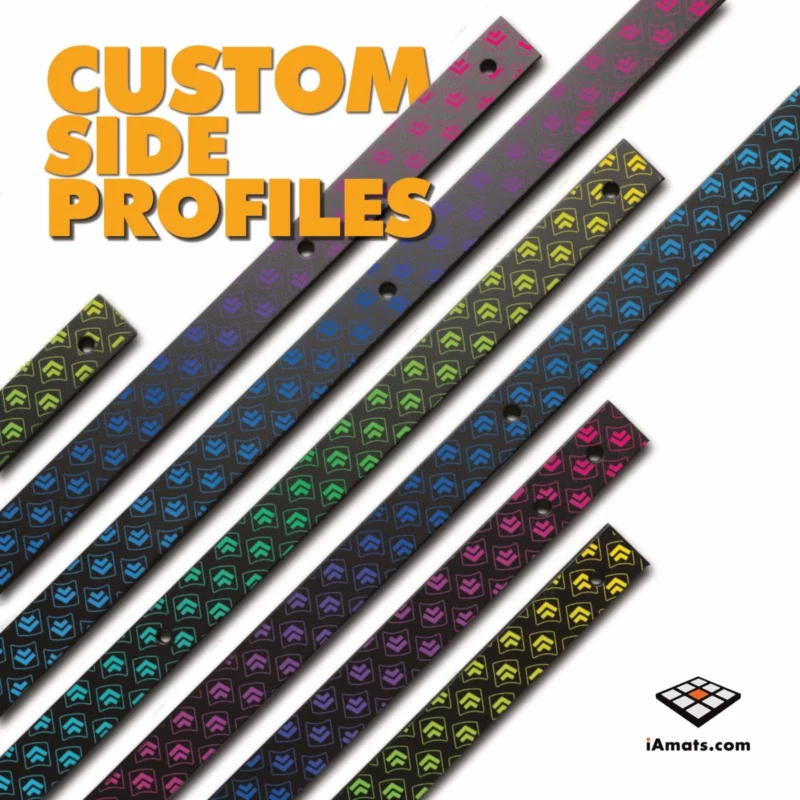
Panel customization
From 6 €Color bumpers for Dance Mat
From 10 €


FAQ
Frequently asked questions
Stepmania LTEK is a popular choice for dance mat users due to its simple operation and easy song customization. L-TEK also offers the Connect Buddy, a tool that links Stepmania with the PADY Fitness iOS app, allowing you to monitor your training progress. Both tools are available in our Software section.
Stepmania LTEK can also integrate with the Amusement Lights Controller, adding dynamic lighting effects for enhanced gameplay.
For additional options, LTEK Interactive Mats are compatible with various games to combine fitness and entertainment. Find a list of recommended games in our Games to Play on Mat section.
L-TEK Dance Mats are compatible with PlayStation 2 and PSX consoles using a dedicated converter available in our store. Converters specifically designed for PlayStation 2 and PSX can be found in the PS2 & PSX converter section.


Reviews
There are no reviews yet.